

dbt is good at what it does. That's not the question this guide is asking.
The question is whether your team's engineering time belongs to the pipeline — or to the thing the pipeline is supposed to deliver. For teams where the answer has shifted, this guide exists to show exactly what moving from dbt to DataFuseAI looks like, concept by concept, without glossing over the parts that don't translate cleanly.
For readers who haven't worked in dbt directly: it's a SQL-first code based transformation framework that runs models inside your data warehouse, manages lineage dependencies, and lives entirely in Git. It handles the T in ELT — and nothing else. Ingestion, scheduling, observability, and loading into another warehouse each require a separate tool layered around it.
What this guide is based on: we built the same pipeline — a Customer Order Intelligence system on TPC-H PostgreSQL data — in both dbt Cloud and DataFuseAI. Same source tables: 15,000 orders, 1,500 customers. Same logic. Same three output tables. Everything below is the concept-by-concept translation of what we found — including where DataFuseAI falls short.
Why dbt Teams Are Re-Evaluating Their Stack Right Now
Three things are happening at once in 2026 that are making dbt practitioners ask questions they weren't asking two years ago: the tool stack required to run dbt in production has grown more complex than the transformation work itself, a pending merger has introduced pricing uncertainty that wasn't there before, and a recurring tension — spending engineering time on SQL pipelines when the actual deliverable is something else — has become harder to ignore.
Stack fragmentation
dbt is the T in ELT. A complete data pipeline covering extraction, loading, transformation, scheduling, and observability means running Fivetran or Airbyte for ingestion, dbt for transformation, Airflow or Dagster for scheduling, and a monitoring tool on top. Each is its own vendor contract, its own upgrade cycle, its own failure surface. The stack works. The question is whether the maintenance overhead is proportionate to what you're actually trying to build. For a comparison of how DataFuseAI fits against the broader field, the no-code ETL tools decision framework covers the full picture.
The Fivetran merger
In October 2025, dbt Labs and Fivetran signed a definitive all-stock merger agreement, creating a combined entity that was approaching $600M in ARR at the time of announcement. As of May 2026, regulatory approval is still pending and both companies continue to operate independently. dbt Core's is open source and hopefully shall be open sourced after merger as well. The concern practitioners are raising isn't about open source. It's about pricing: teams running Fivetran for ingestion and dbt for transformation will soon renew contracts with a single entity holding the negotiating position on both lines.
SQL as a bottleneck
This one is personal. When the actual deliverable is analysis, a dashboard, or a predictive model — not the pipeline itself — writing SQL data cleaning code is a tax on the work that matters. Multiple source systems, staging models, deduplication SQL, type casting: all of it had to be right before a single insight query could run. For teams where data engineering is the means, not the end, the code-first requirement shifts from a strength to a constraint.
Framework vs. Platform: The Core Difference
Before mapping dbt constructs to DataFuseAI equivalents, fix one architectural fact. dbt is a transformation framework that runs SQL inside your data warehouse. DataFuseAI is a platform that handles extraction, transformation, loading, scheduling, and monitoring as a single unit.
| Dimension | dbt | DataFuseAI |
|---|---|---|
| Scope | Transform only (T in ELT) | Full ETL + orchestration + monitoring |
| Paradigm | SQL-first, models in files | Visual canvas, node configuration |
| Execution model | Runs inside your warehouse | Decoupled engine (Databricks, Livy, Native) |
| Skill floor | SQL + Git + YAML + Jinja | No SQL required for pipeline operations |
| Lineage | Column-level DAG (Explorer) | Pipeline-level execution flow |
| Observability | External tools required | Built-in profiling + dashboard |
| Deployment | Cloud SaaS or self-hosted CLI | Managed, private-hosted, air-gapped offline |
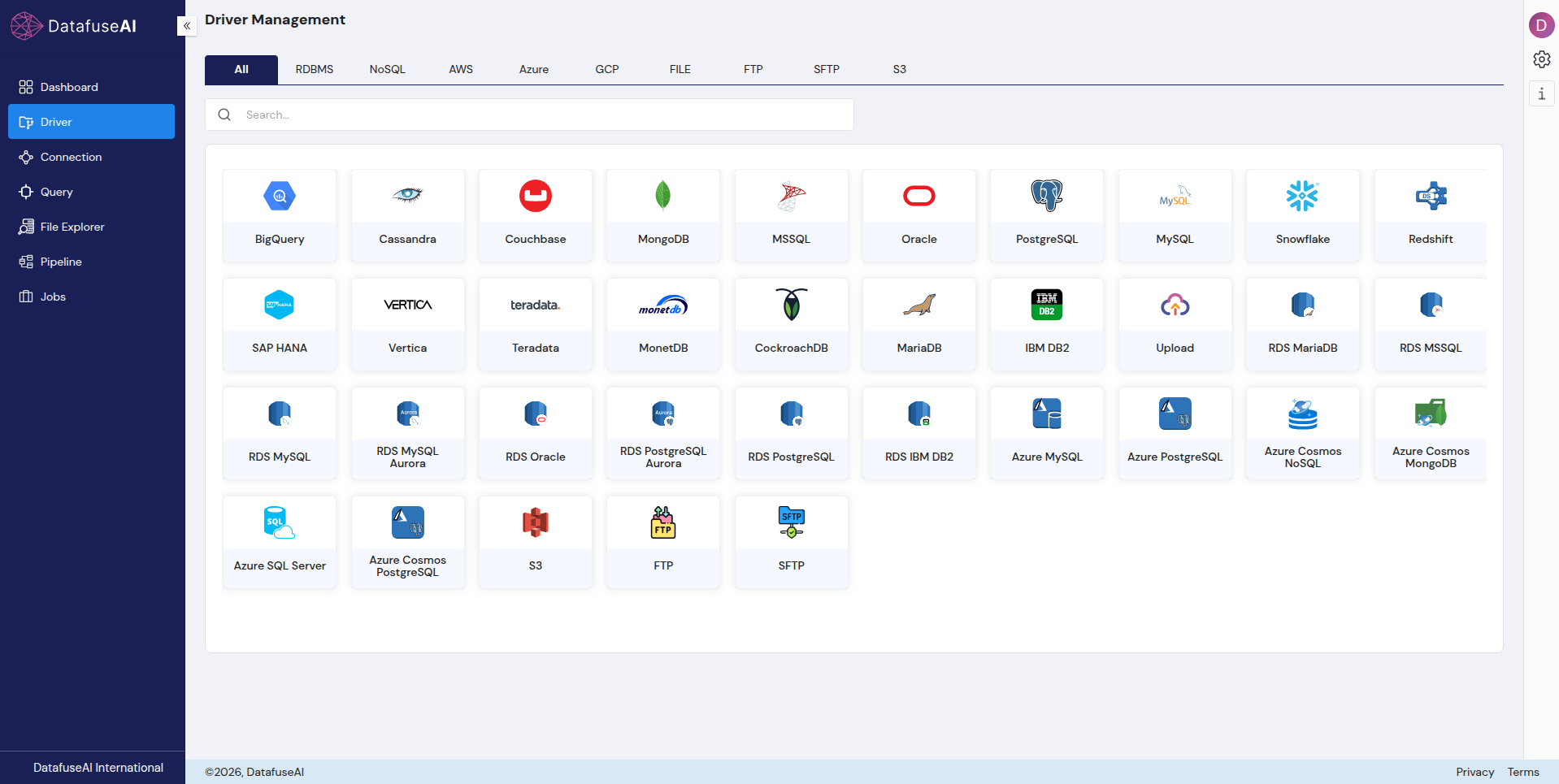
DataFuseAI ships with 50+ JDBC drivers covering relational databases, NoSQL, AWS RDS variants, Azure cloud databases, S3, FTP/SFTP, and flat files. dbt connects only to data warehouses where data has already been loaded. Ingestion and Cross Source Loading is a separate tool's responsibility.
 Enlarge
The migration question isn't which tool is better. It's whether your team's pain point lives in the transformation layer or in the infrastructure around it.
Your dbt Project, Translated
Every major dbt concept maps to something in DataFuseAI. The mapping isn't always one-to-one: a single SQL file sometimes becomes multiple nodes. But nothing is lost in translation, and nothing has to be rebuilt from scratch.
| dbt Concept | DataFuseAI Equivalent | Nature of Change |
|---|---|---|
profiles.yml or Connection/Credential Tabs |
Connection Profile | YAML file → UI form with live health check |
{{ source('schema','table') }} |
Source node — table selector | Declaration → dialog |
stg_*.sql (staging model) |
Source node — alias + type mapping | SQL CTE → visual column config |
{{ ref('model_name') }} |
Canvas wire between nodes | Explicit code → implicit connection |
int_*.sql |
Transformation Nodes( Join + Filter + Derived) | One file → multiple discrete nodes |
mart.sql with WHERE clause |
Transformation Nodes( (Route node condition) | SQL filter → condition string |
OVER (PARTITION BY… ORDER BY…) |
Window node — dropdown config | SQL expression → guided selection |
{{ config(materialized='table') }} |
Sink node — Table Strategy: Overwrite | Config block → Sink setting |
dbt run --select [layer] |
Pipeline → Start button | CLI command → one click |
dbt build (run + test) |
Pipeline run + Profiling nodes | Separate commands → embedded |
| Deploy Job | Jobs module — cron schedule | Cloud-only → all deployment tiers |
| dbt test (YAML + singular files) | Profiling nodes on each Sink | Code assertions → automatic histograms |
dbt docs generate + Explore |
Dashboard + execution logs | Docs site → operational view |
Note on DataFuseAI's full transformation library: The table above maps the COI pipeline's specific dbt constructs to the nodes used in this build. DataFuseAI's complete library includes Aggregate, Dedupe, Union, Pivot/Unpivot, Split, Explode, and others not required by this example pipeline.
The Same Pipeline, Built in Both Tools
We ran the Customer Order Intelligence pipeline on TPC-H SF001 data: 15,000 orders, 1,500 customers, sourced from PostgreSQL. Three outputs: high-value fulfilled orders (1,863 rows), open and pending orders needing attention (7,696 rows), and a customer intelligence table with segment rankings (1,000 rows). Both tools produced these counts from the same source.
Before the Pipeline: Connecting Your Database
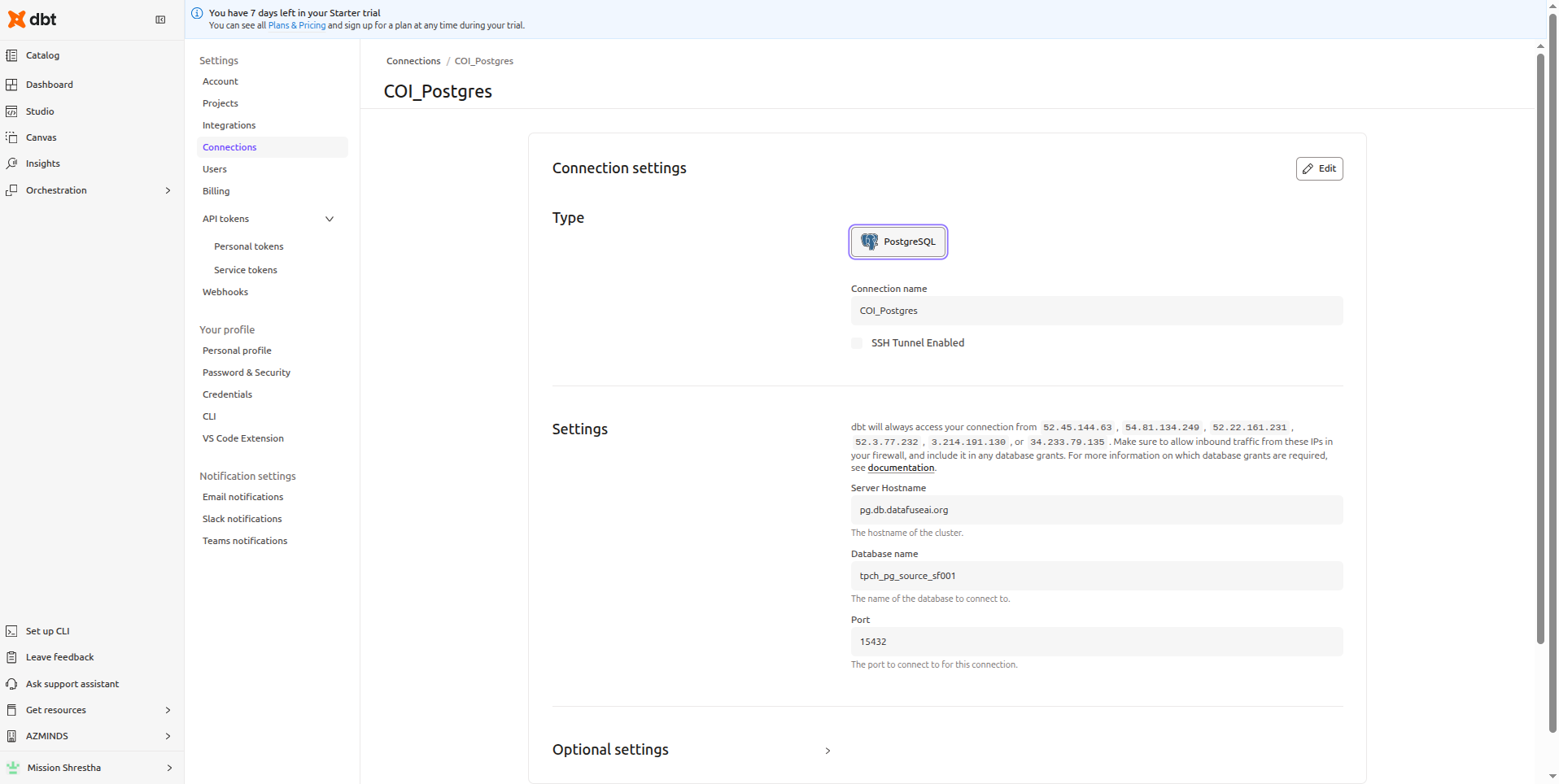
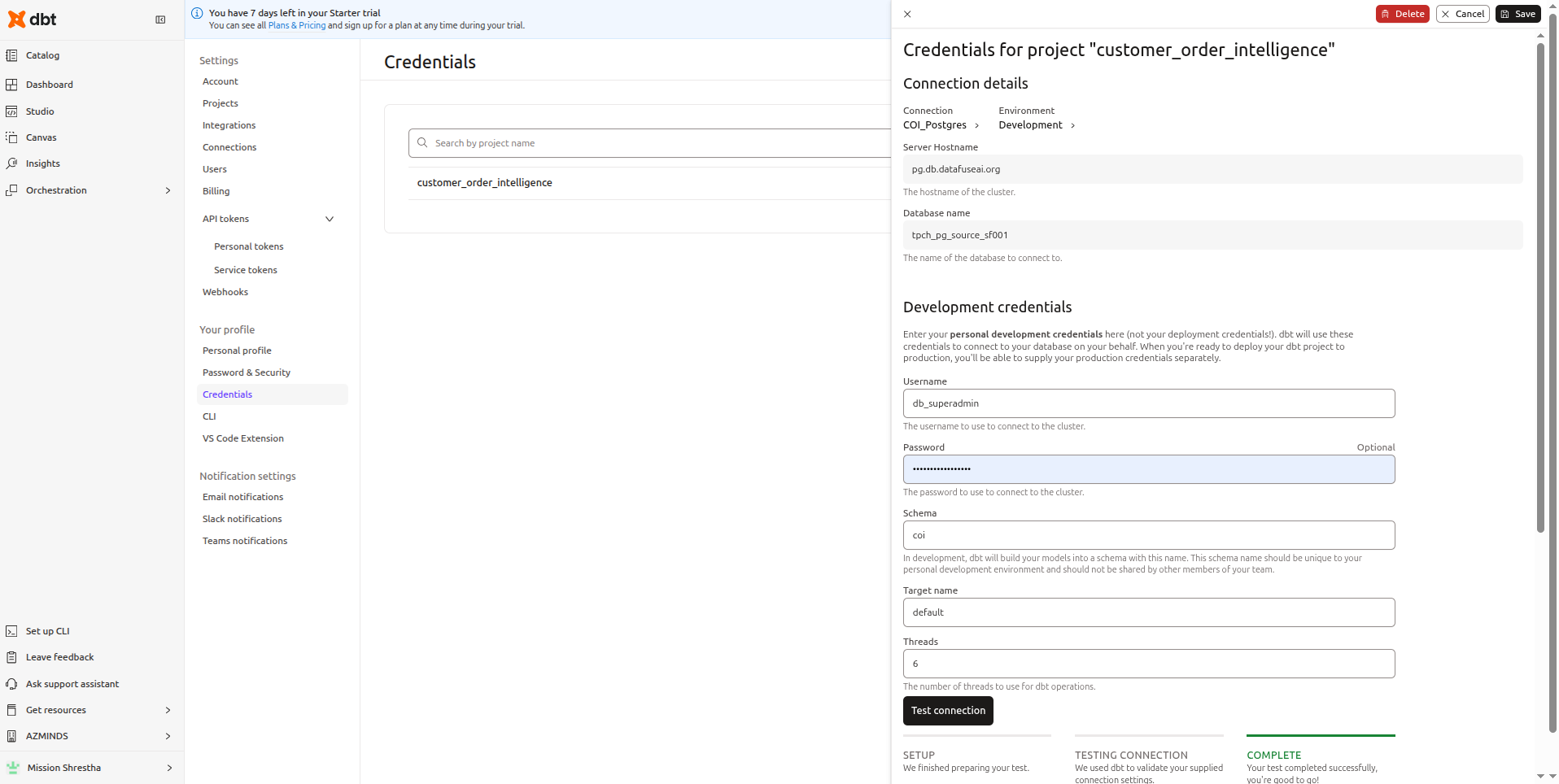
Both tools need a database connection before any pipeline runs. This is where the first structural difference appears.
 Enlarge
 Enlarge
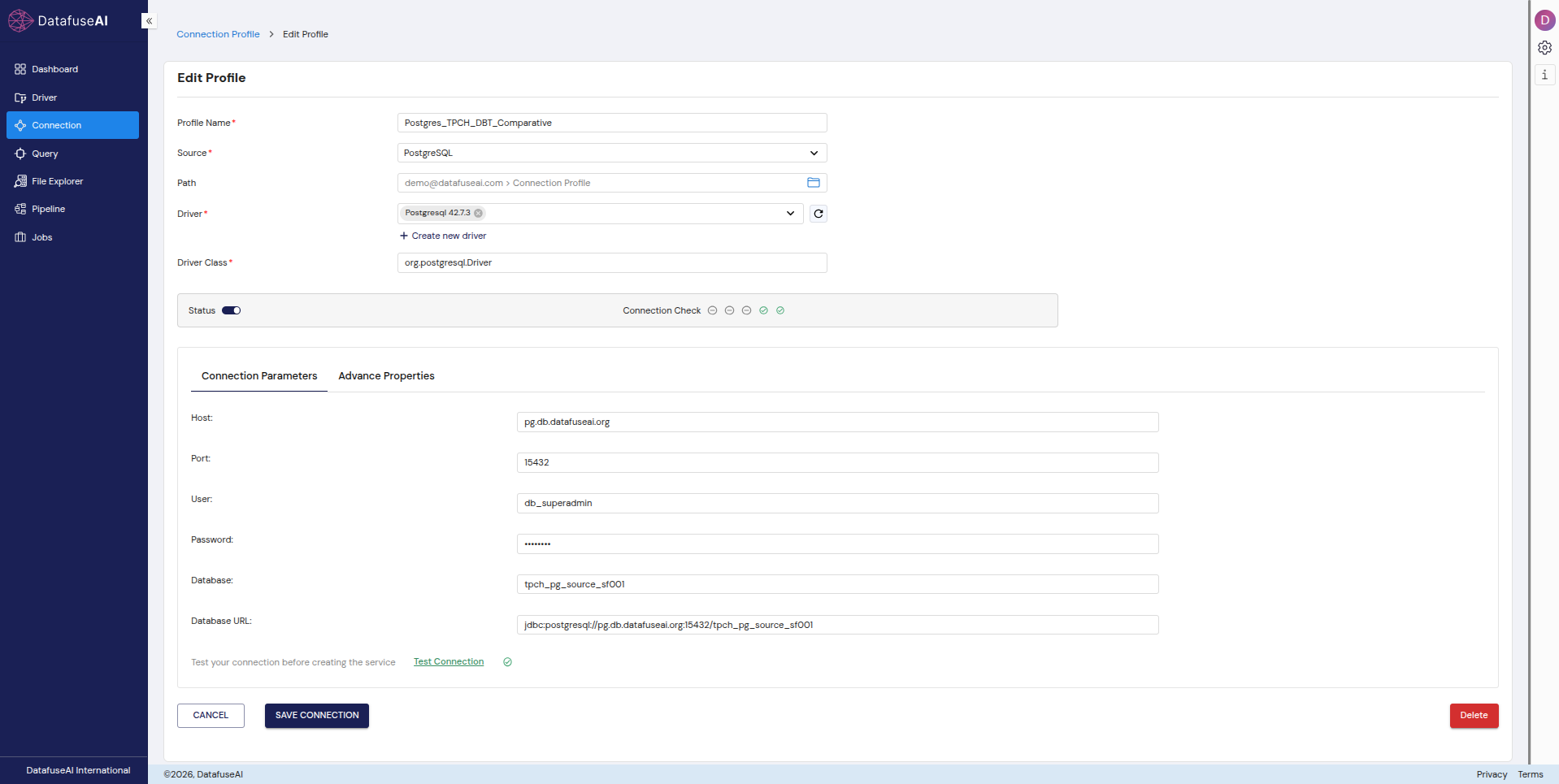 Enlarge
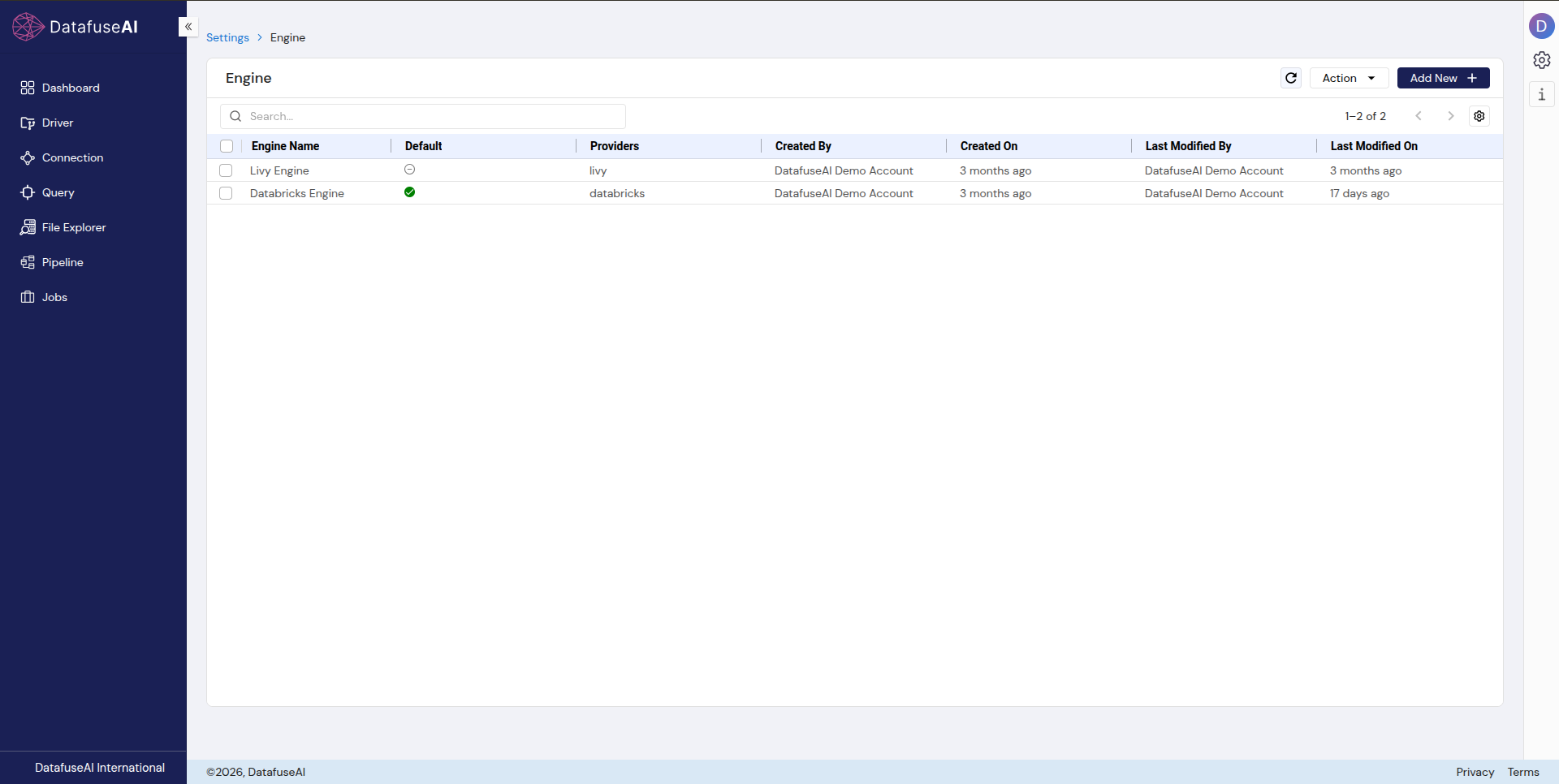
One Additional Setup Step: Flexible Compute Engine and Driver Version
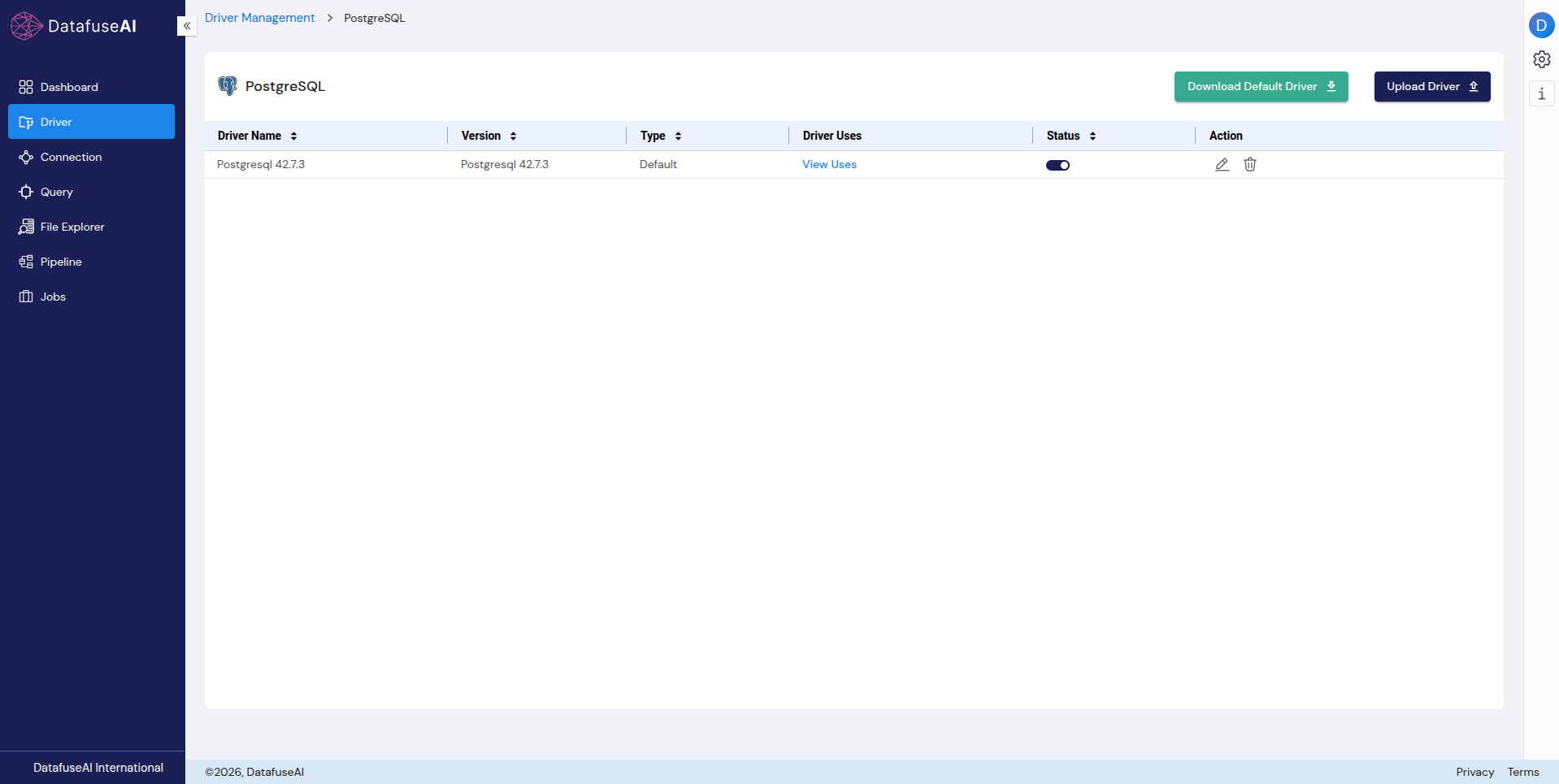
DataFuseAI has setup steps dbt doesn't: choosing a compute engine. In dbt, the warehouse you connect to is also the compute. DataFuseAI decouples the execution engine from the data source. Moreover, datafuseai allows you to use custom jdbc version, compatible to your source.
 Enlarge
 Enlarge
Staging Models → Source Nodes
Column renaming in SQL vs. column renaming in a dialog
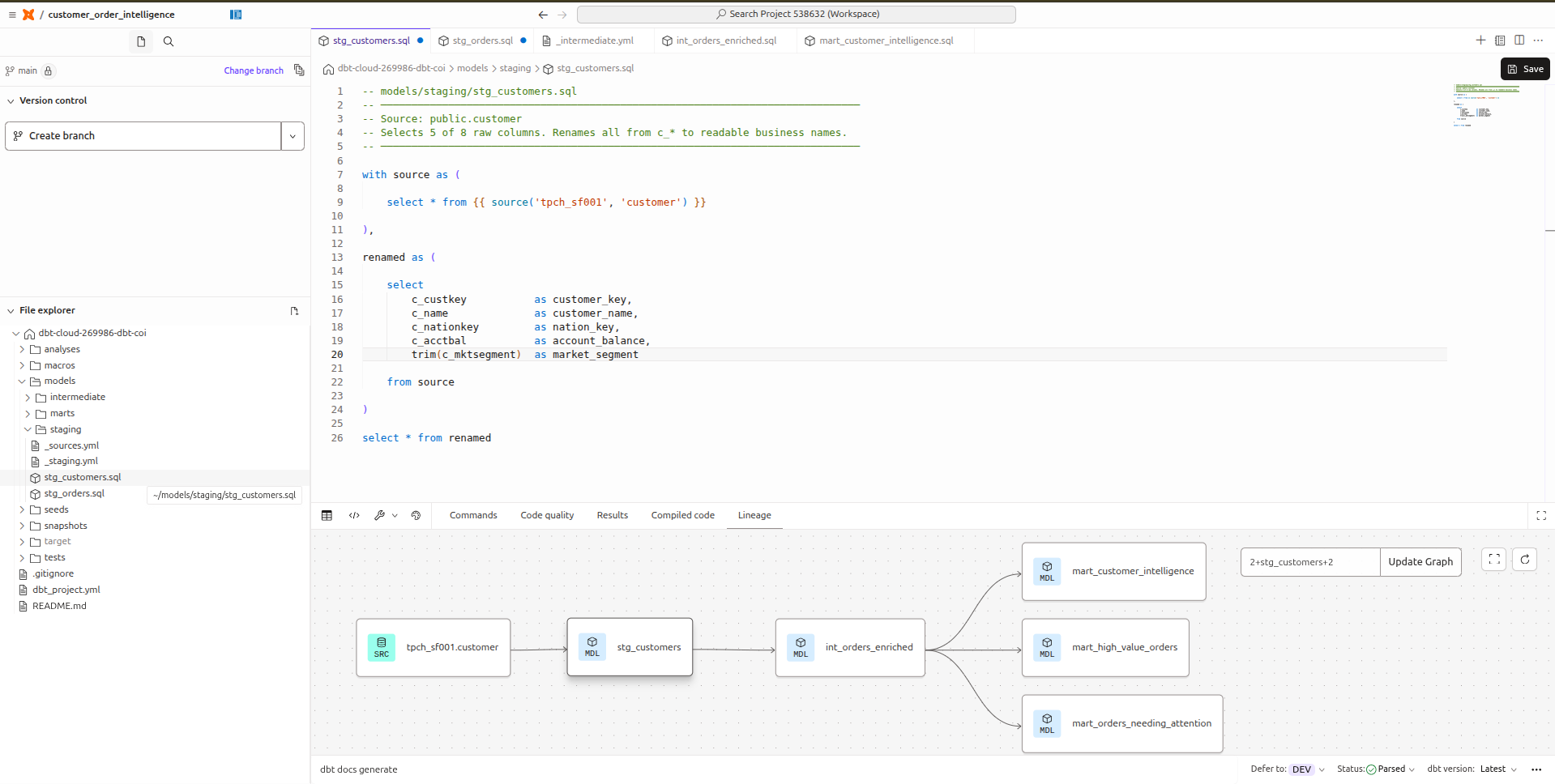
The staging layer is where both tools do the same thing — renaming raw columns to business names — through completely different mechanisms.
 Enlarge
trim() on CHAR(10) market_segment. Lineage panel shows downstream dependencies.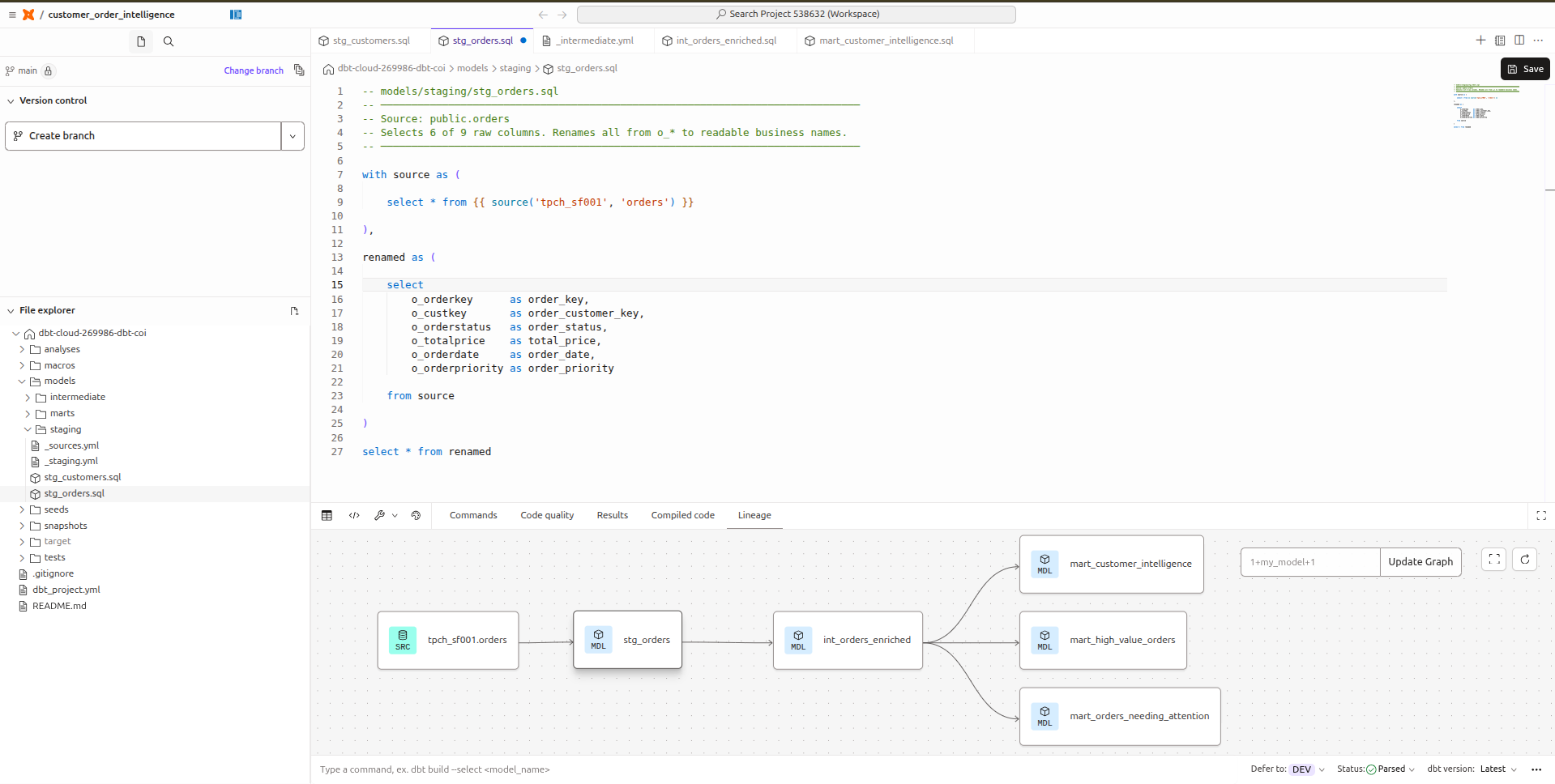 Enlarge
o_ prefix is gone from downstream references.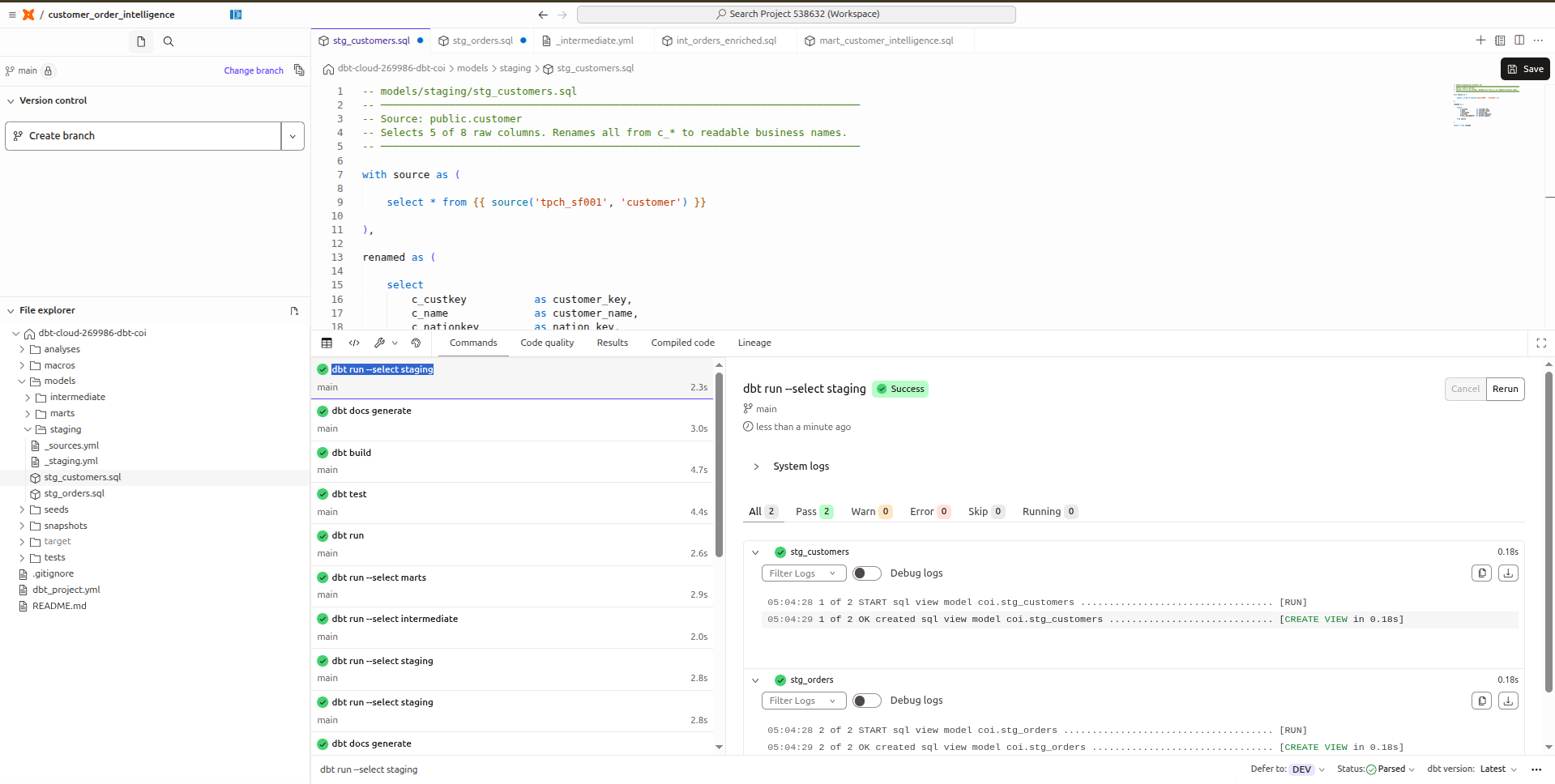 Enlarge
In DataFuseAI, both staging models become Source nodes configured directly in the pipeline canvas:
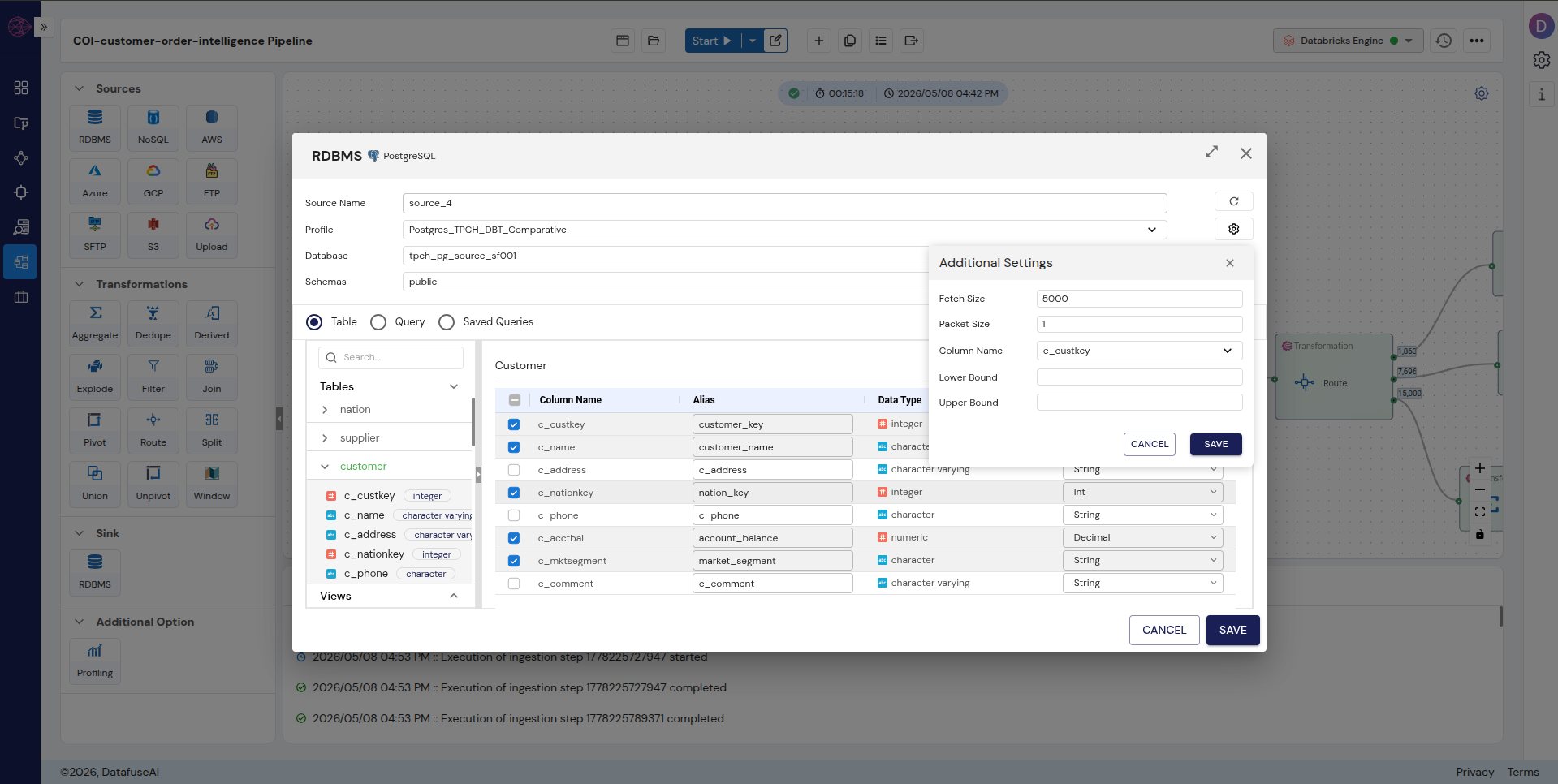 Enlarge
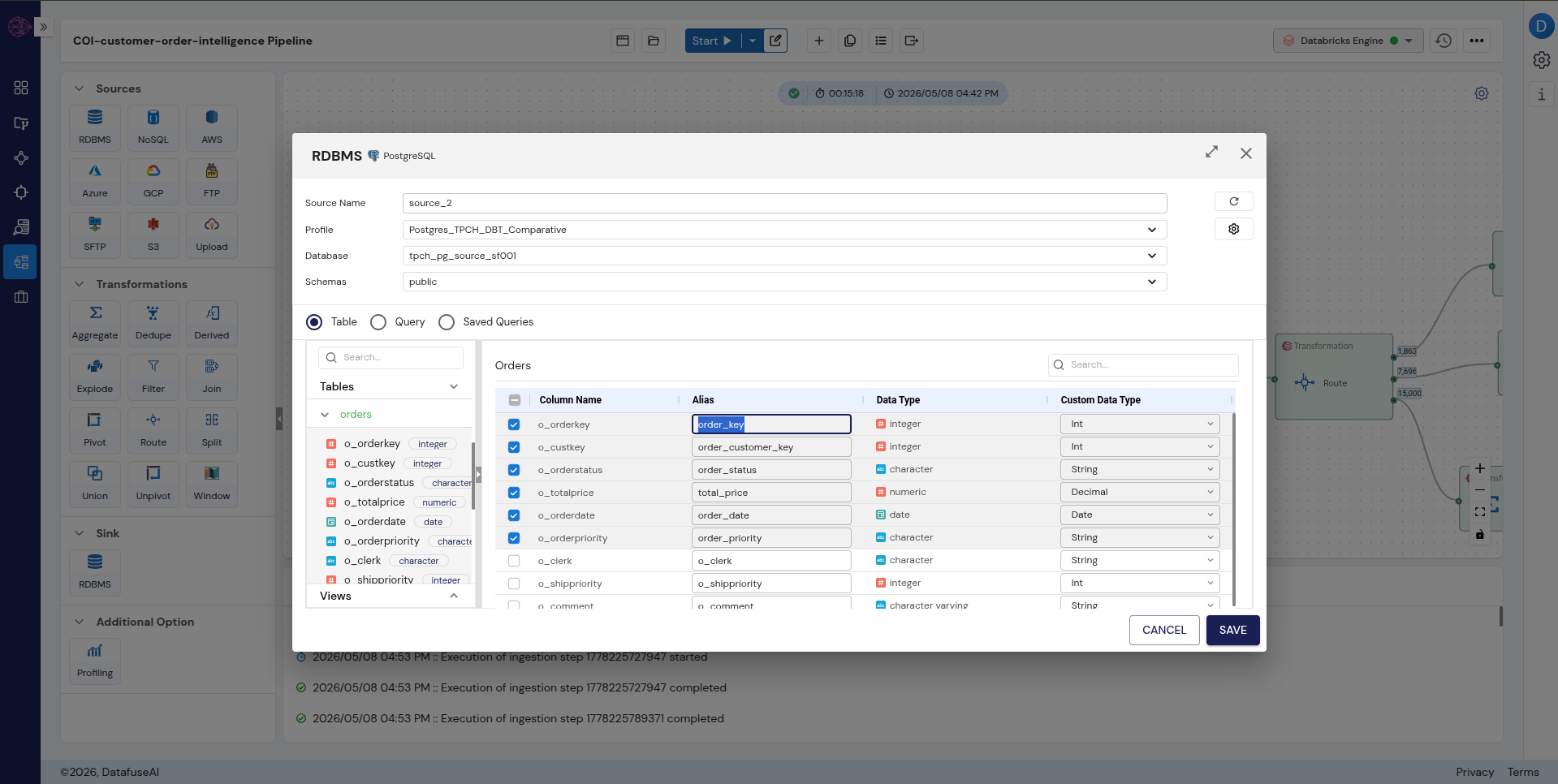 Enlarge
Intermediate Model → Transformation Nodes
One SQL file becomes Join + Filter + Derived nodes
dbt's intermediate model is a single SQL file that joins the two staging views and enriches the result with computed columns. DataFuseAI splits this into multiple discrete transformation nodes, each responsible for one piece of the logic.
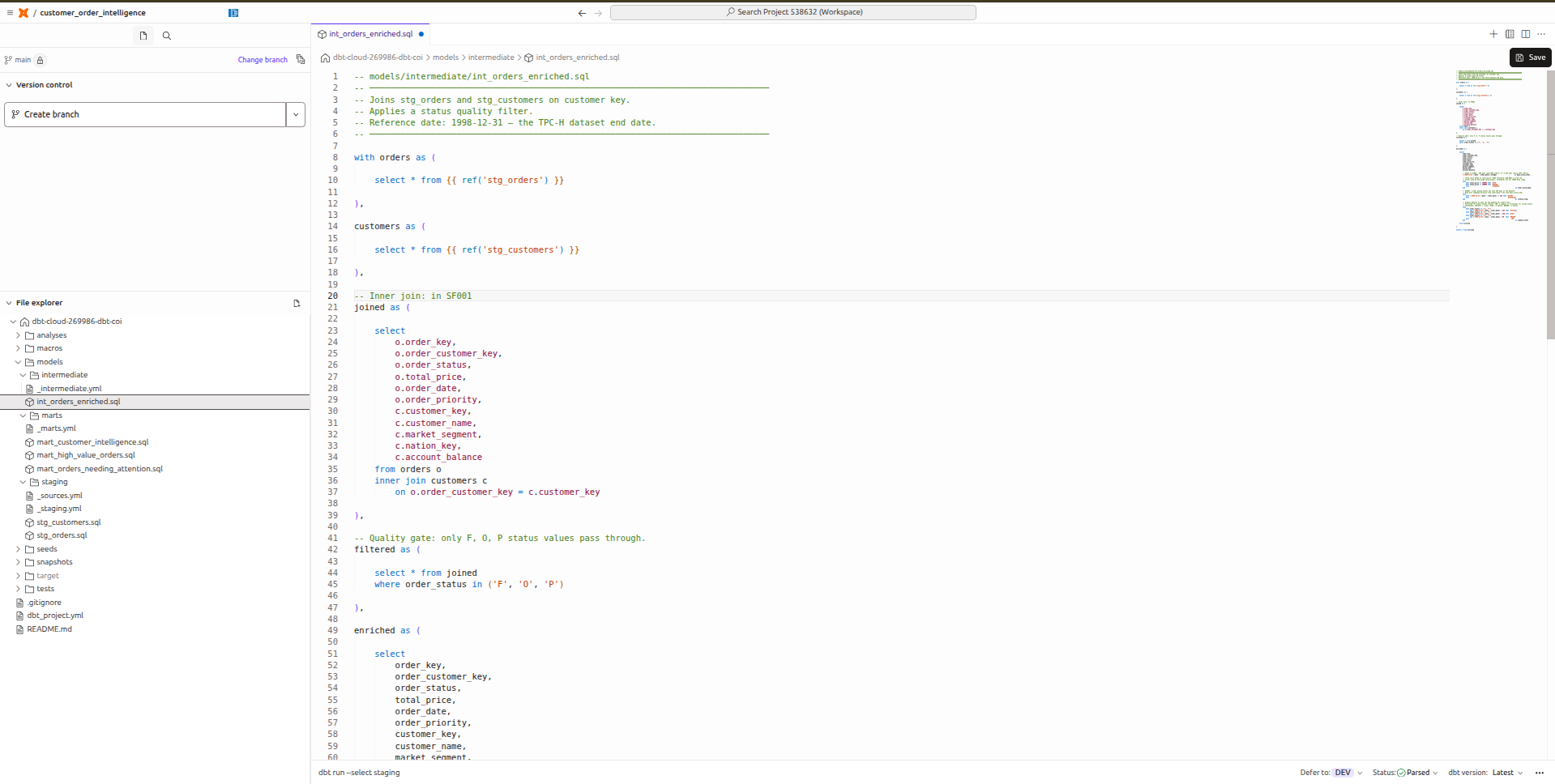 Enlarge
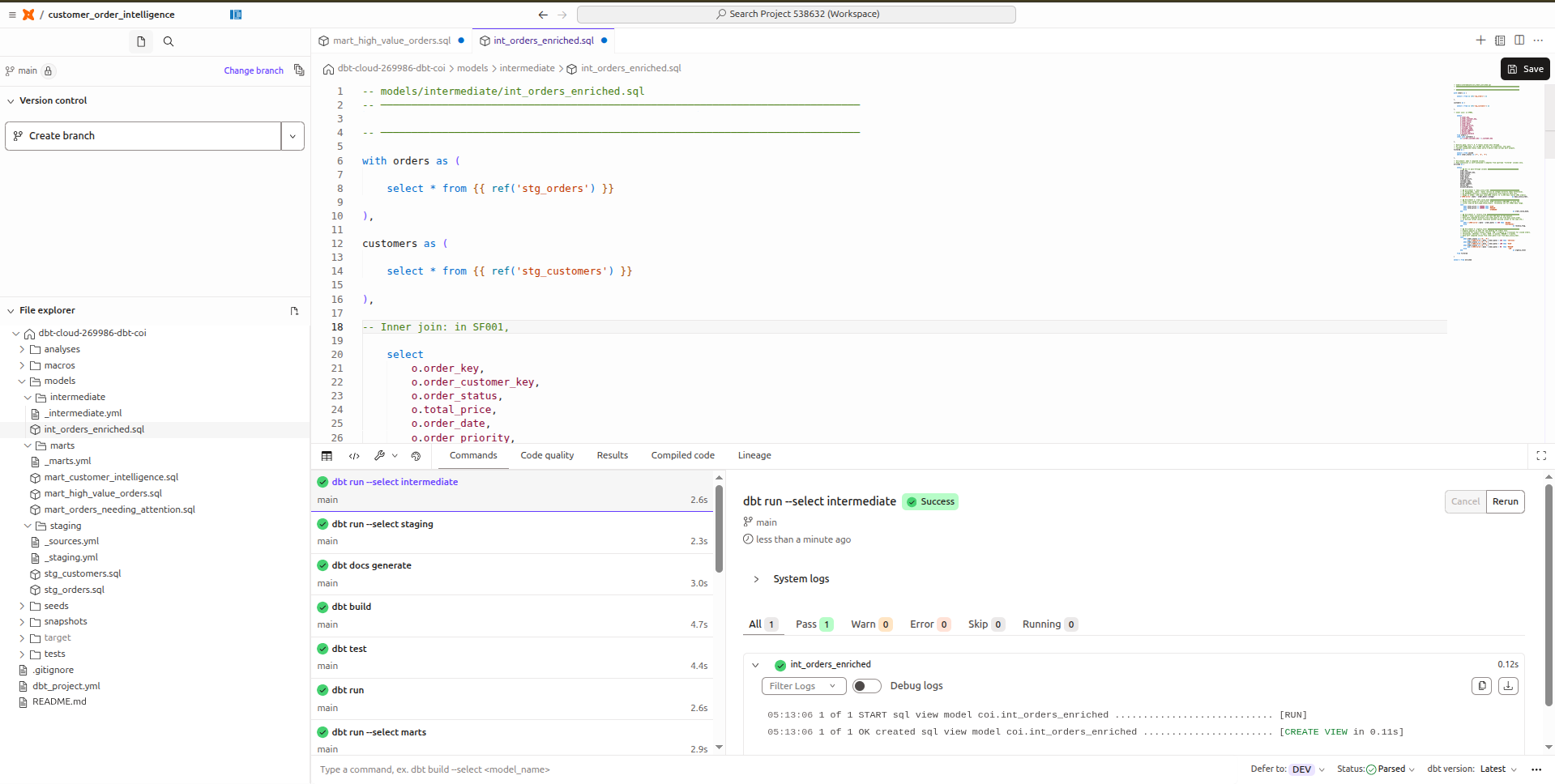 Enlarge
ref() calls.In DataFuseAI, the intermediate model becomes three discrete nodes: Join, Filter, and Derived:
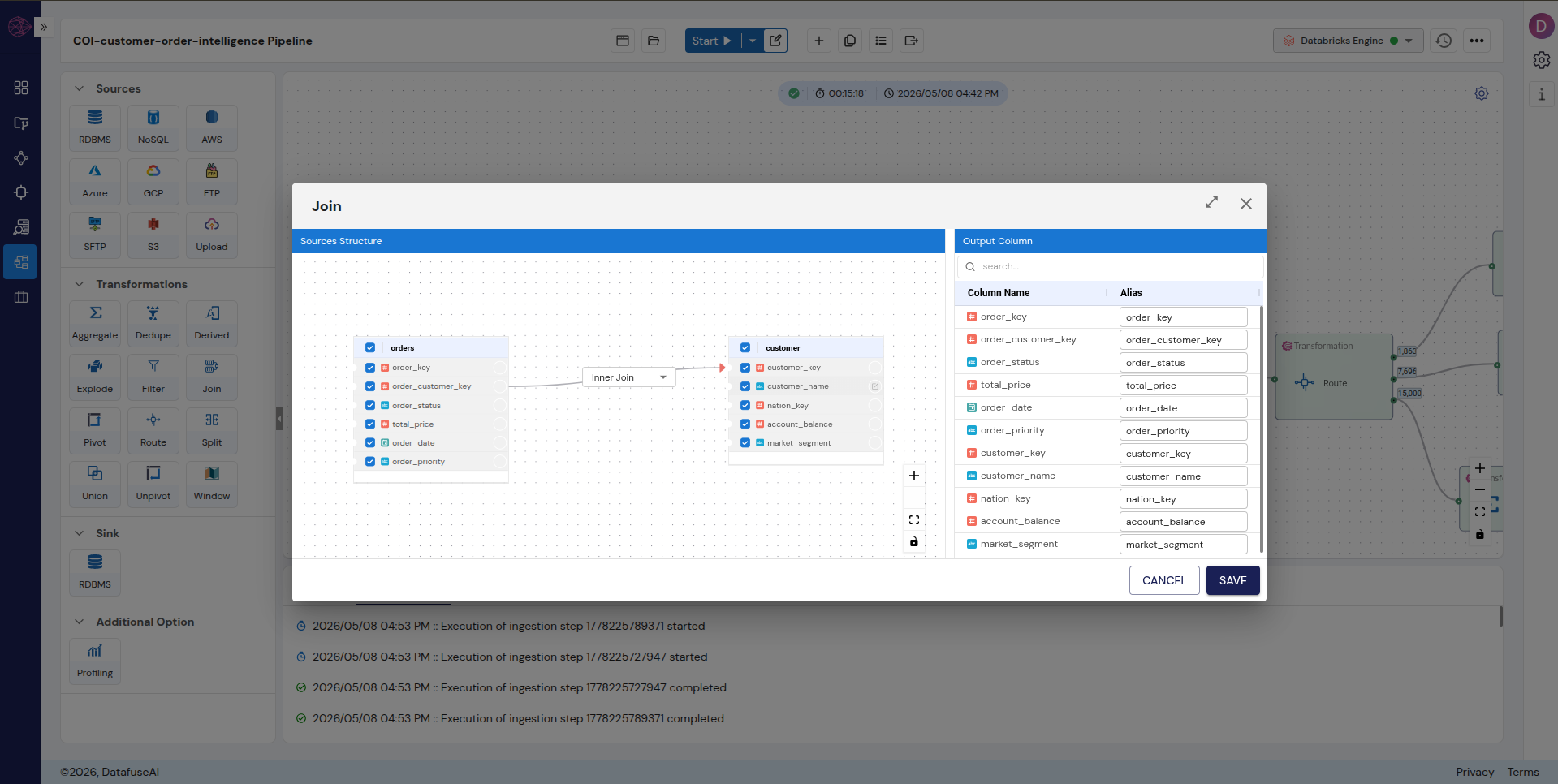 Enlarge
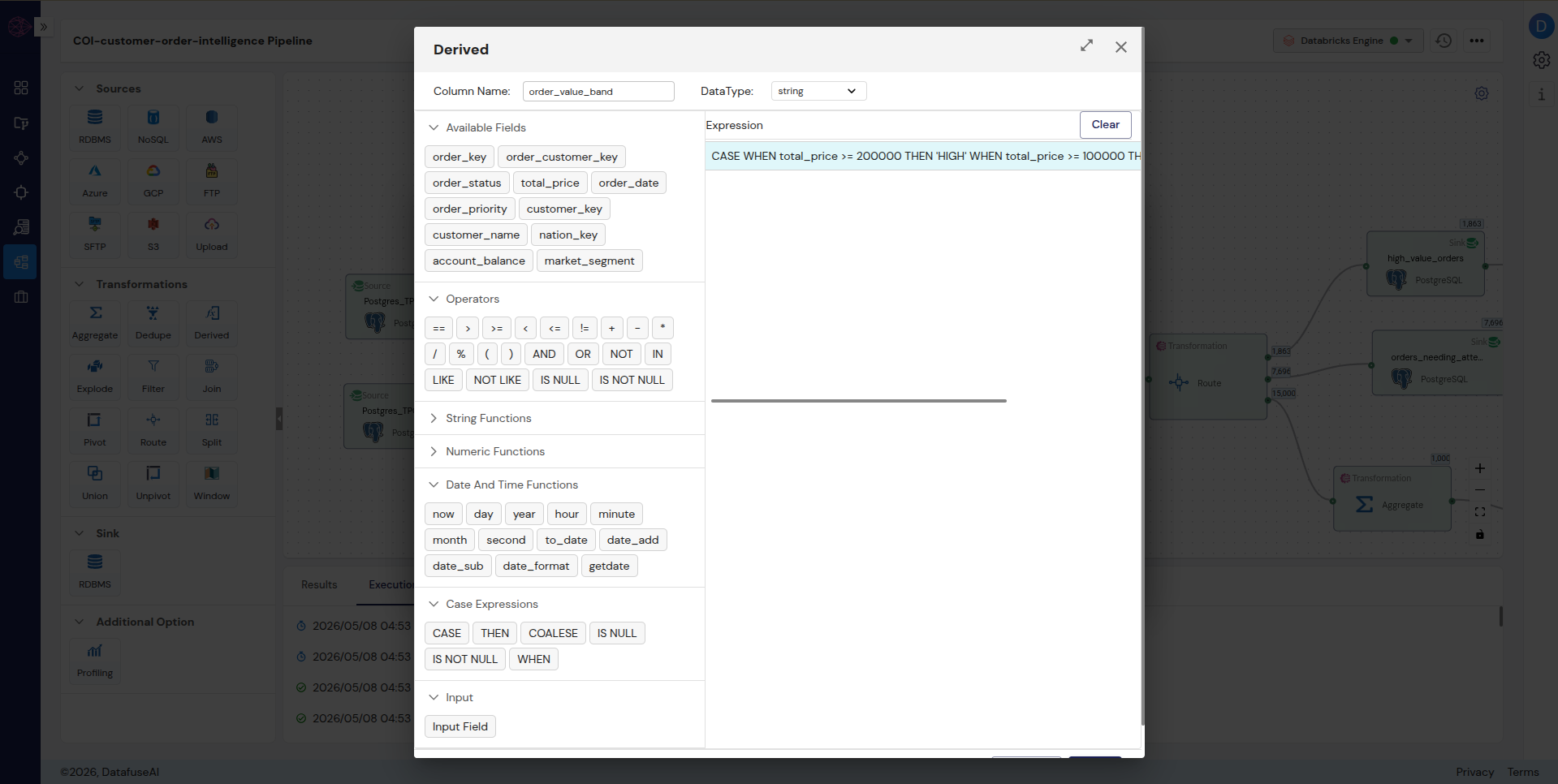 Enlarge
order_value_band. Same logic as the dbt CTE, built with a visual expression builder instead of typed SQL.Mart Models → Transformation Nodes( Route + Window) + Sink Node
Three SQL files vs. one Route node with three simultaneous conditions
This is where the structural difference between the two tools is most visible. dbt requires three separate .sql files with three separate WHERE clauses. DataFuseAI handles all three outputs from one Route node in a single pipeline execution.
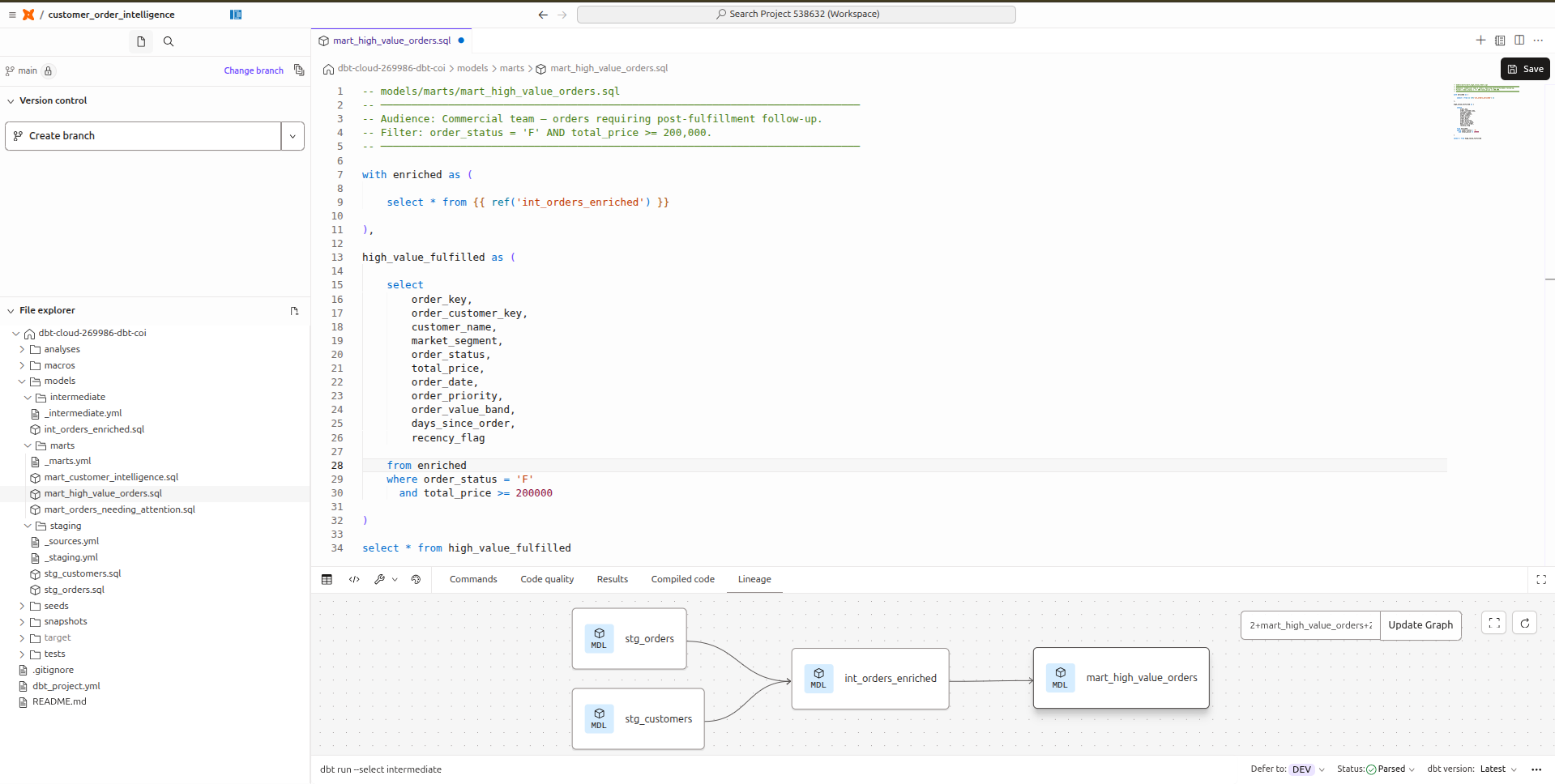 Enlarge
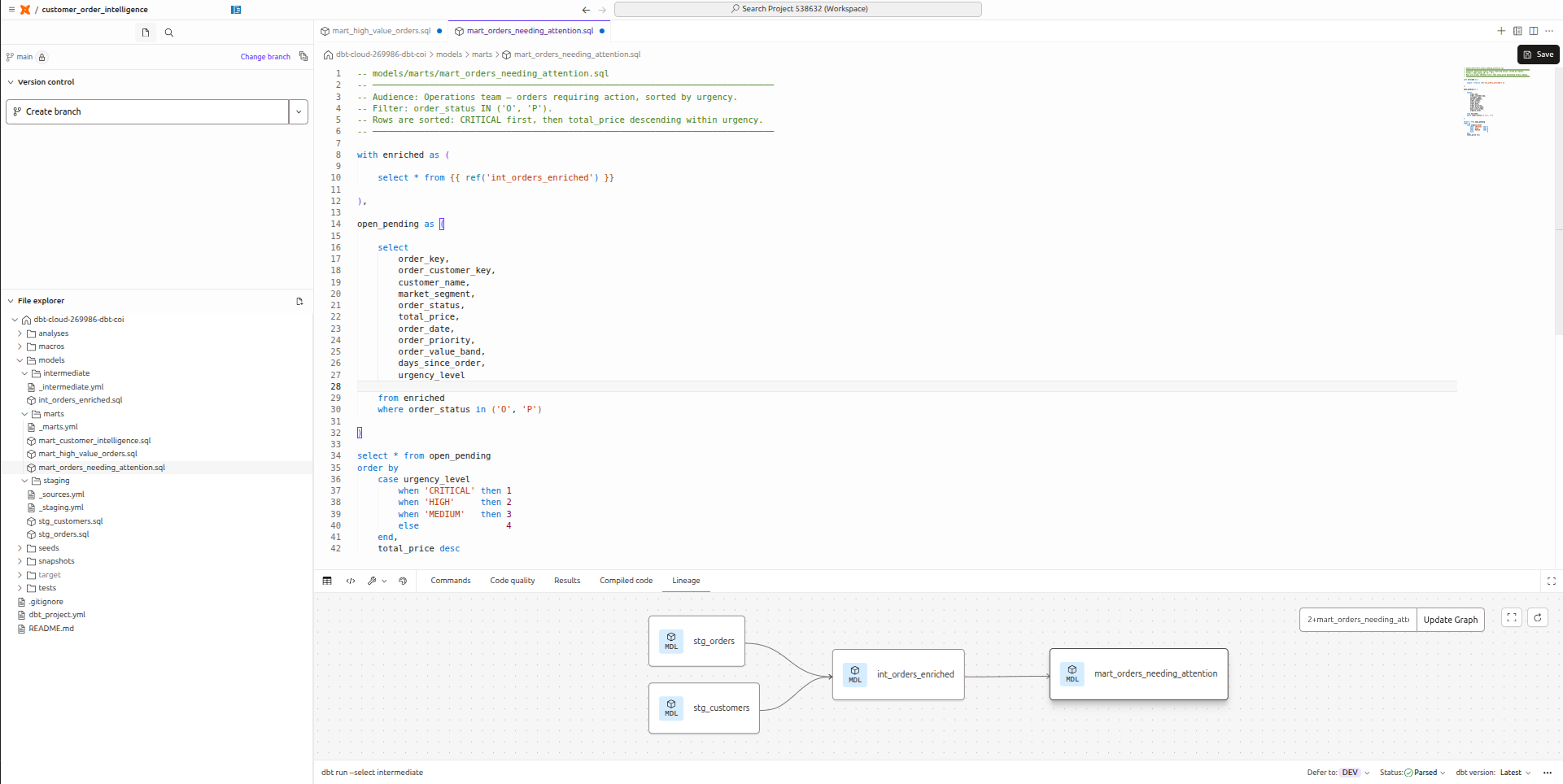 Enlarge
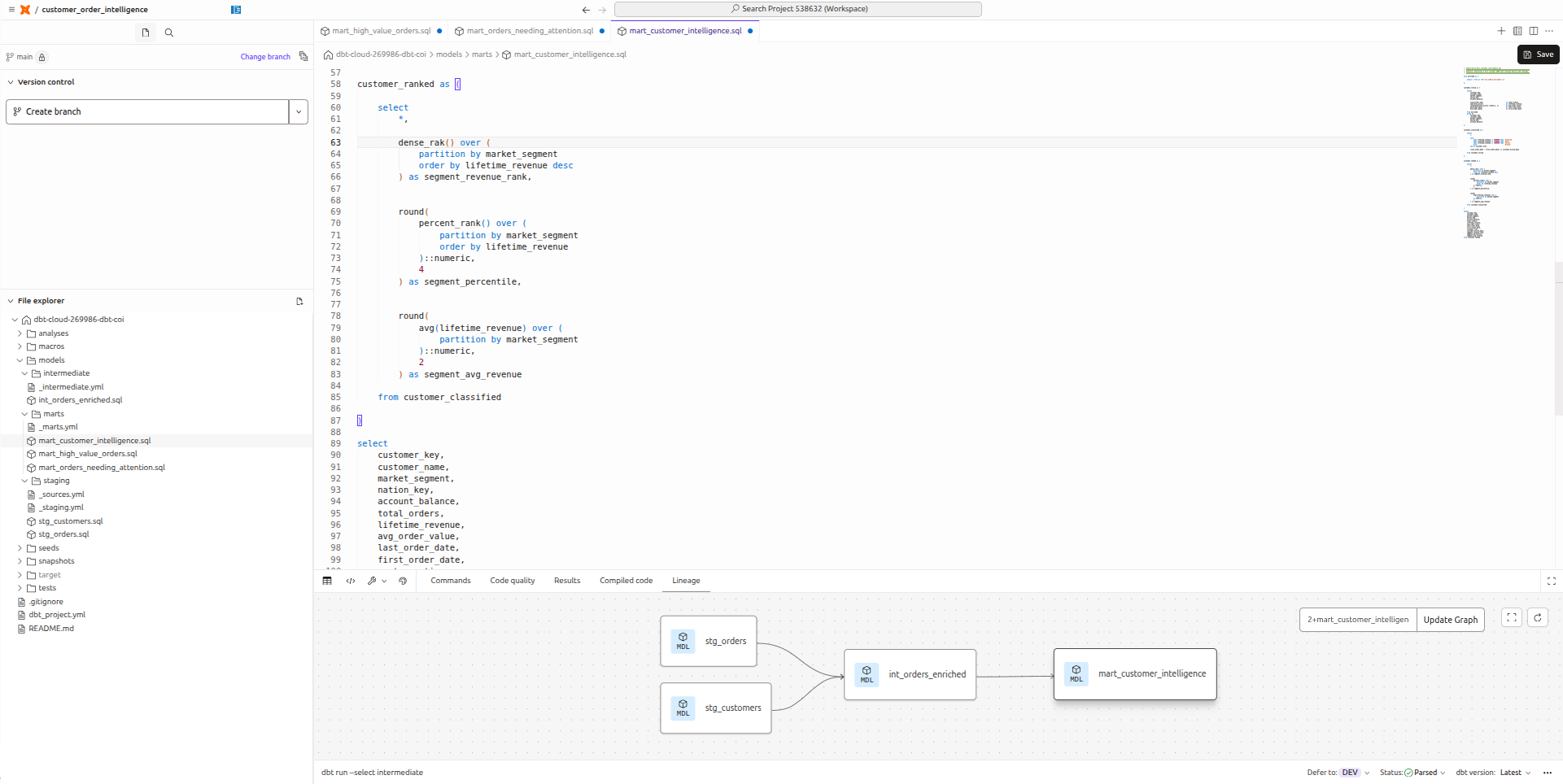 Enlarge
dense_rank, percent_rank, avg — all over market_segment. The most SQL-intensive file in the project.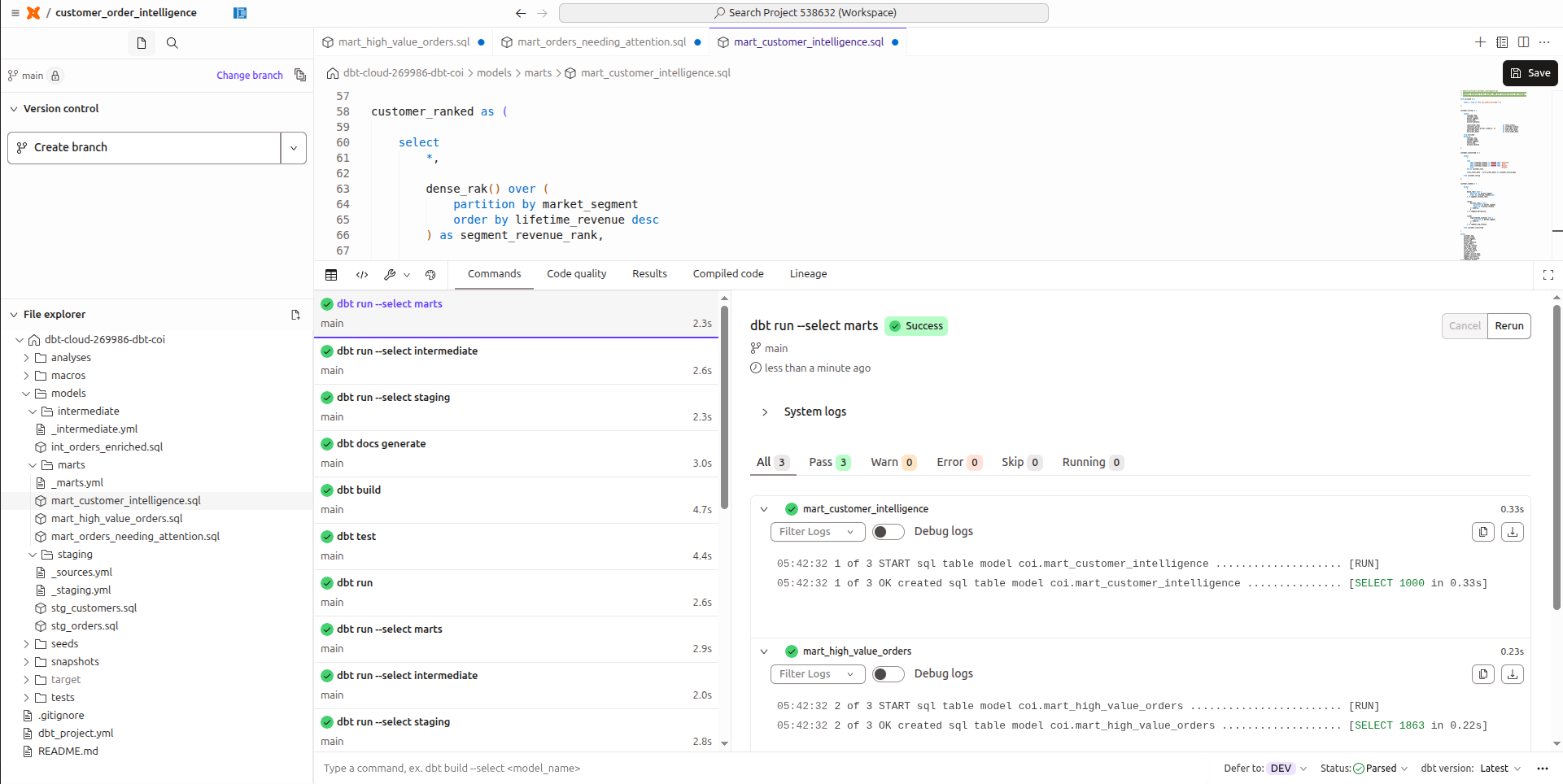 Enlarge
In DataFuseAI, all three become conditions on a single Route node that executes simultaneously:
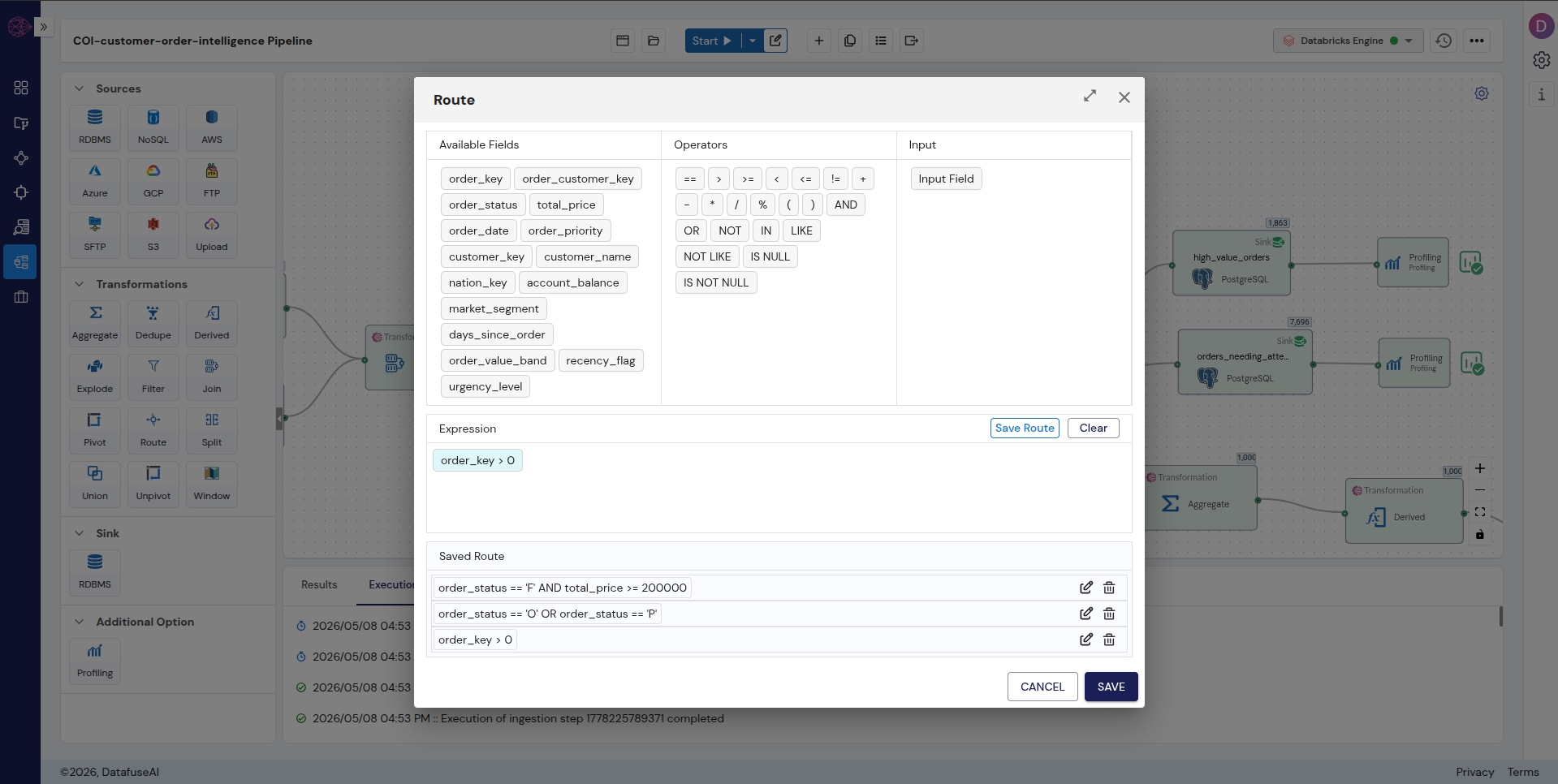 Enlarge
 Enlarge
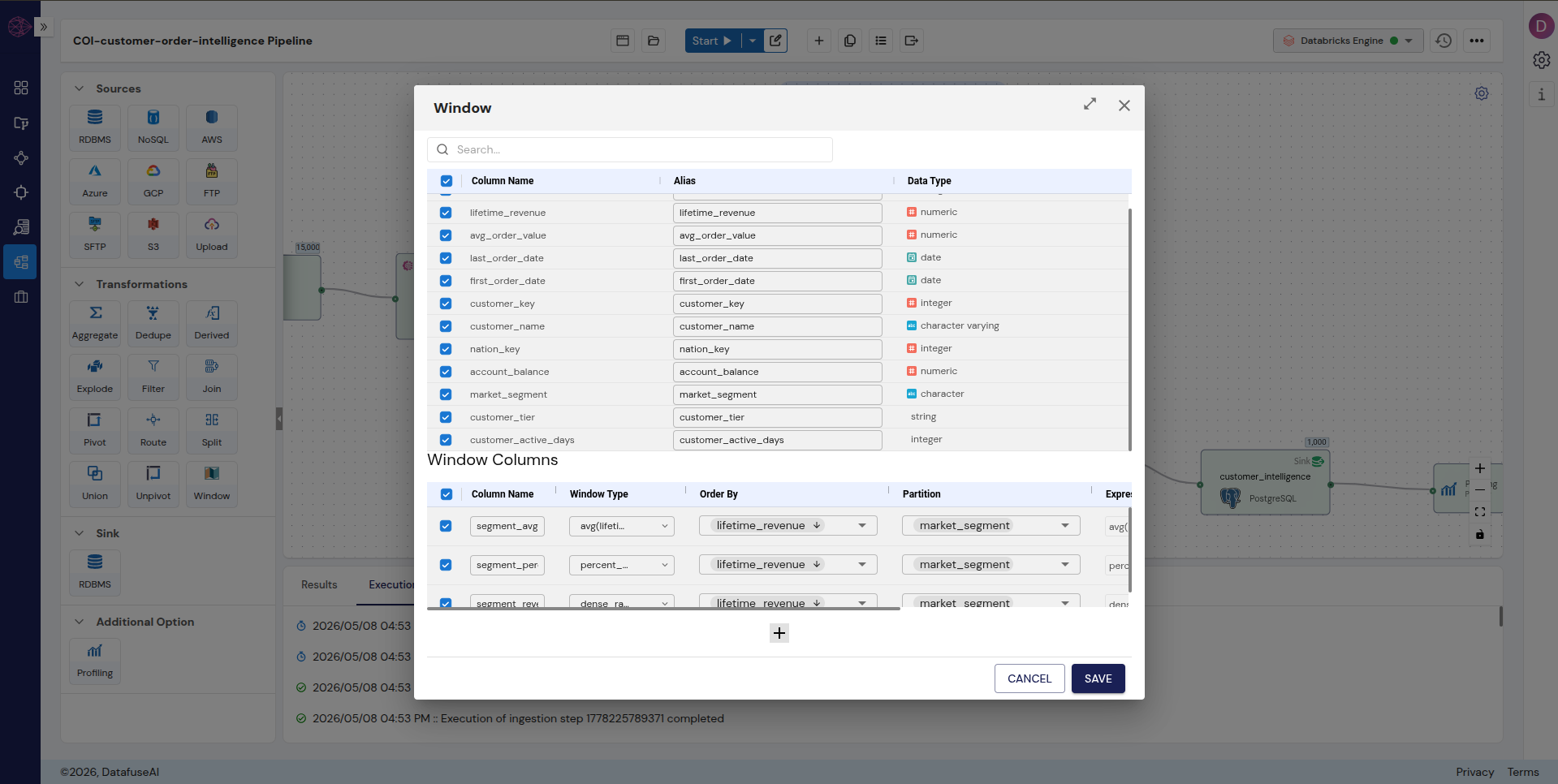
OVER clause becomes dropdowns. Partition By, Order By, and function selection are all configuration.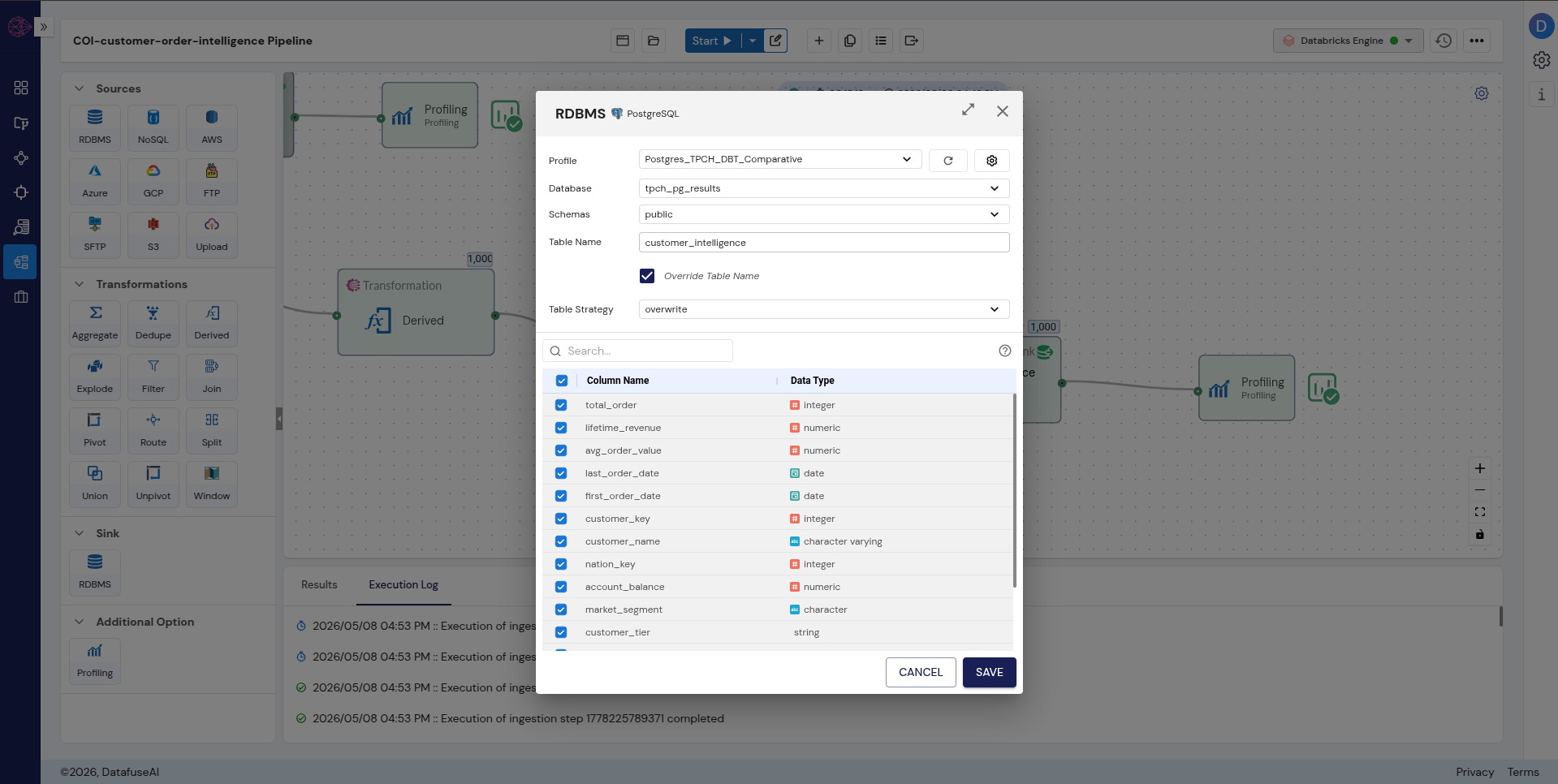 Enlarge
{{ config(materialized='table') }} — as a setting, not a Jinja block.The Complete Pipeline
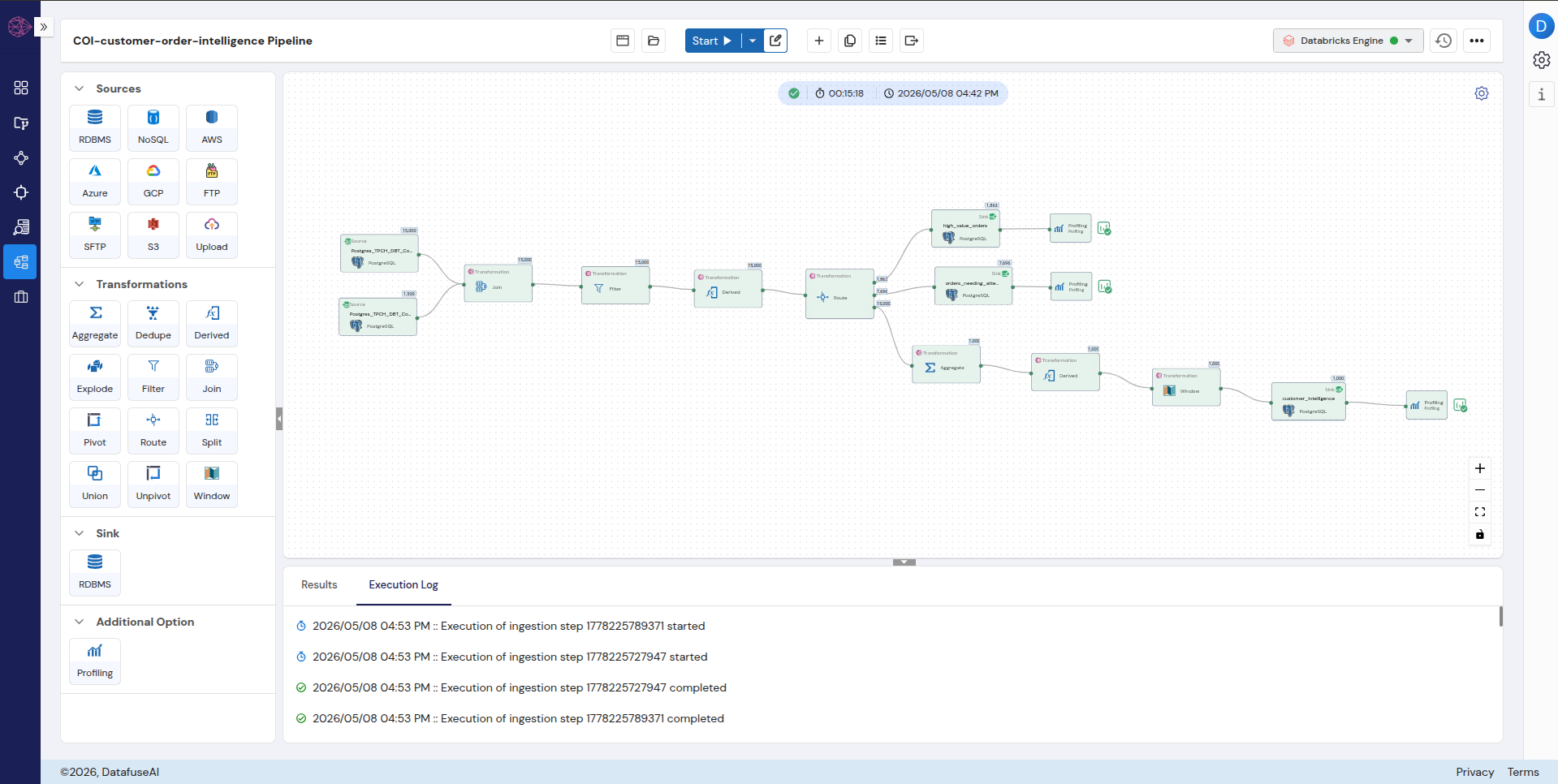 Enlarge
dbt Cloud and DataFuseAI produced identical output counts from the same TPC-H PostgreSQL source. The Route node's "All matches" setting was confirmed by cross-checking that source total_price sum equalled DataFuseAI mart lifetime_revenue sum exactly.
What Changes in Production
Does DataFuseAI have a built-in scheduler, or do I still need Airflow?
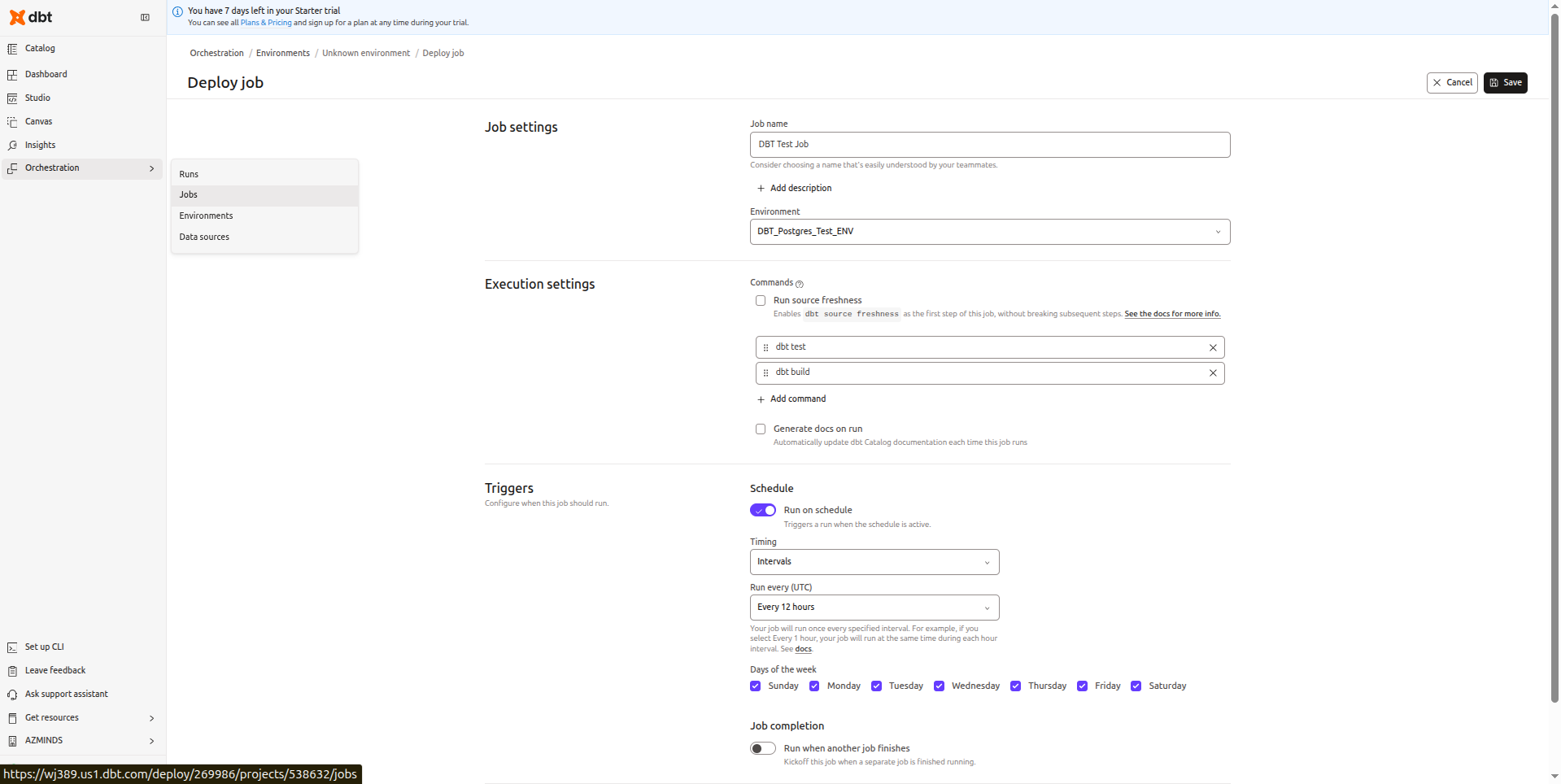
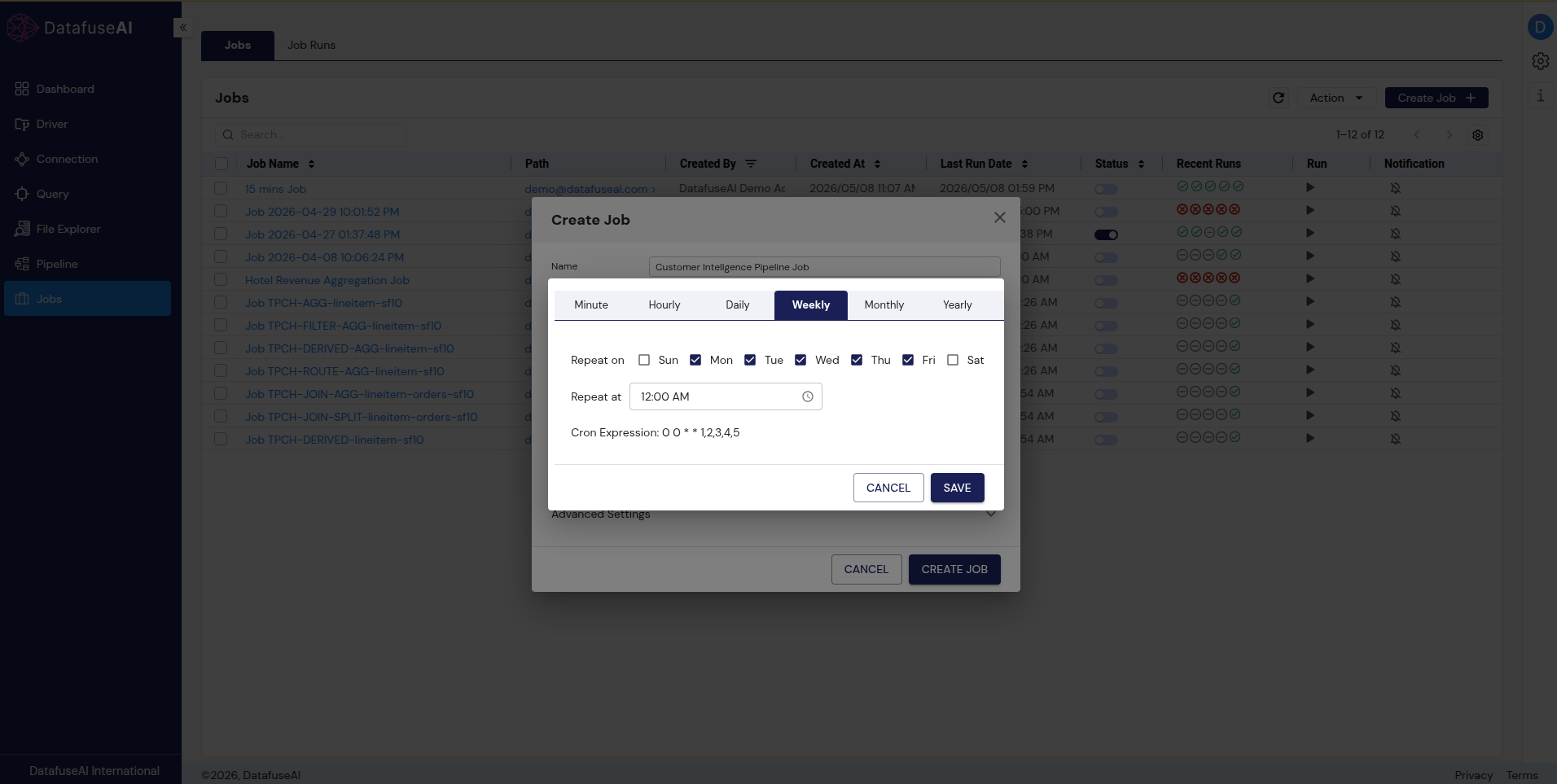
DataFuseAI has a native job scheduler at every deployment tier, including on-premise. No Airflow, no Dagster, no external orchestration tool required.
dbt Core has no built-in scheduler. Running models on a production schedule requires Airflow, Dagster, Prefect, or a cloud-native equivalent. dbt Cloud includes a scheduler, but it is a paid Cloud-only feature. DataFuseAI's Jobs module is built into all tiers. The COI pipeline was scheduled from the same interface used to build it: Monday through Friday at midnight, auto-generated cron 0 0 * * 1,2,3,4,5, three clicks from the pipeline canvas.
 Enlarge
 Enlarge
How does DataFuseAI handle data quality — where does dbt test go?
dbt test is code-controlled and CI/CD-integrated. DataFuseAI profiling is automatic and visual. These are different approaches, not equivalents. Neither is universally superior.
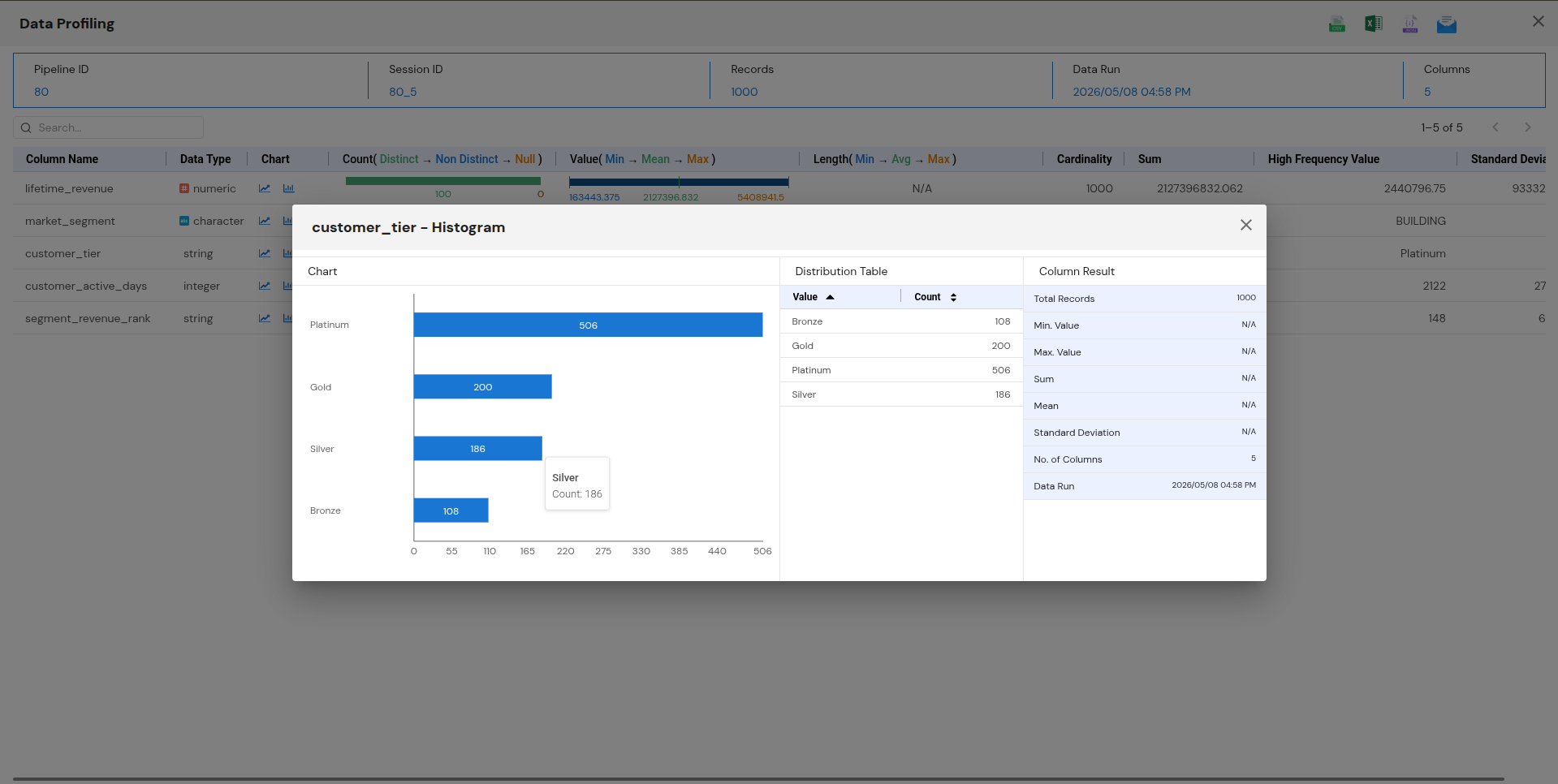
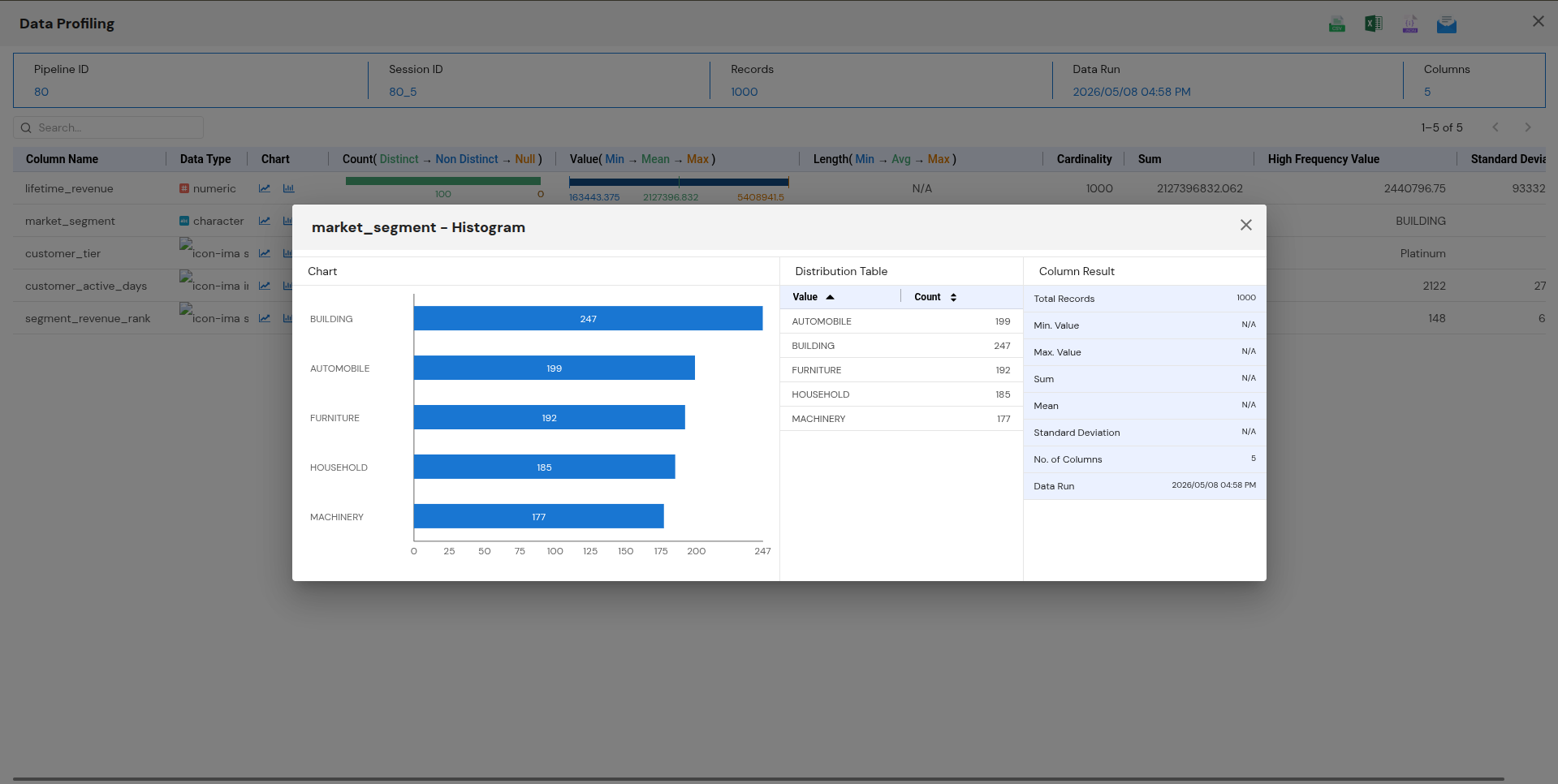
DataFuseAI's Profiling nodes attach directly to each Sink and run automatically after every pipeline execution. No configuration required. The customer tier distribution (Platinum 506, Gold 200, Silver 186, Bronze 108) was visible immediately after the first run:
 Enlarge
 Enlarge
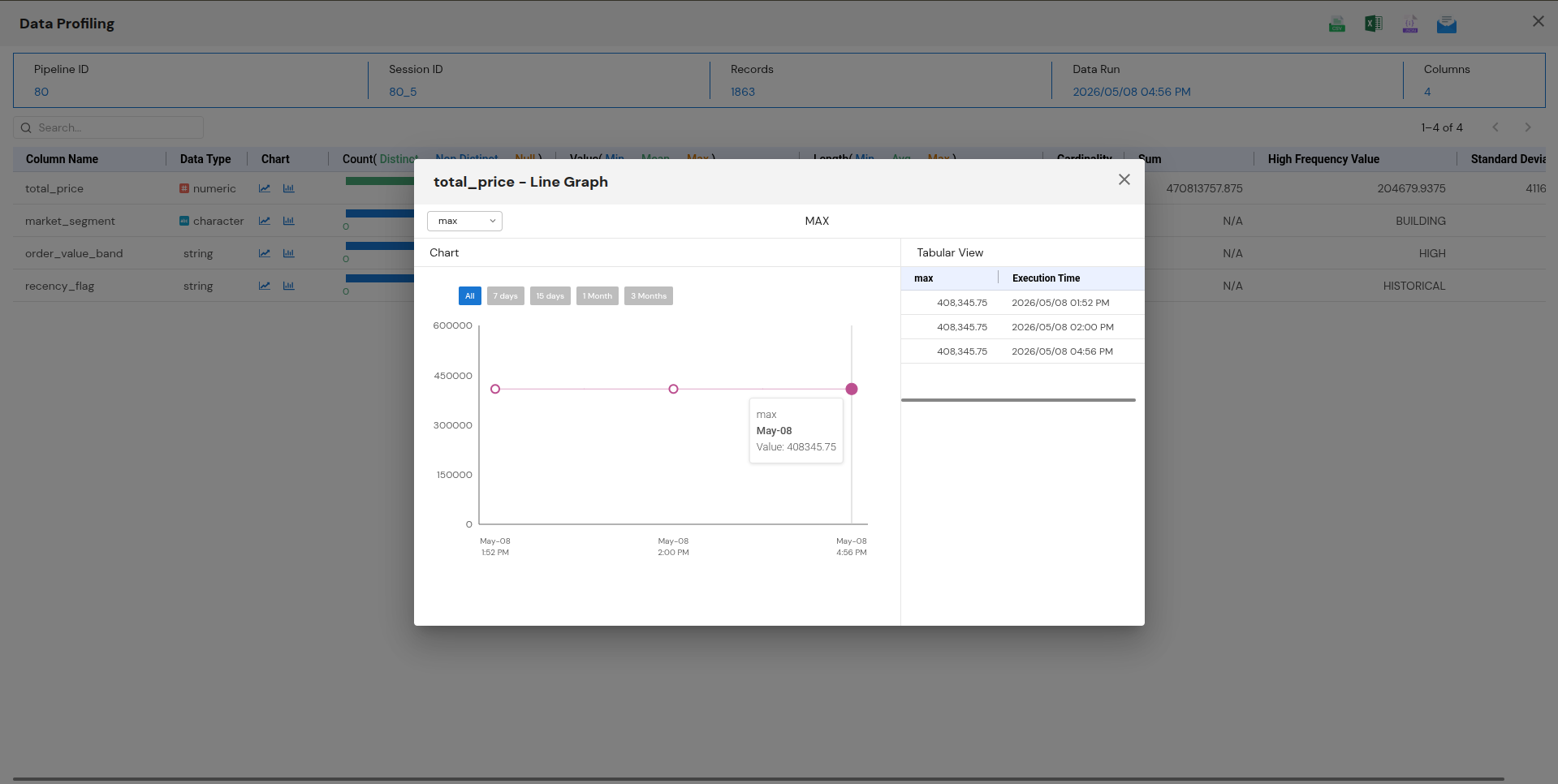 Enlarge
For a team with a QA culture built in code, dbt testing is deeper. For a team that wants automatic validation without writing test assertions, profiling is faster to get running.
What does the dashboard look like — is there operational visibility?
DataFuseAI's dashboard shows connection health, job history, pipeline run counts, and system resources from the first login, at all deployment tiers including on-premise. dbt Cloud's dashboard covers transformation job status only, and only on paid Cloud tiers. dbt Core has no dashboard.
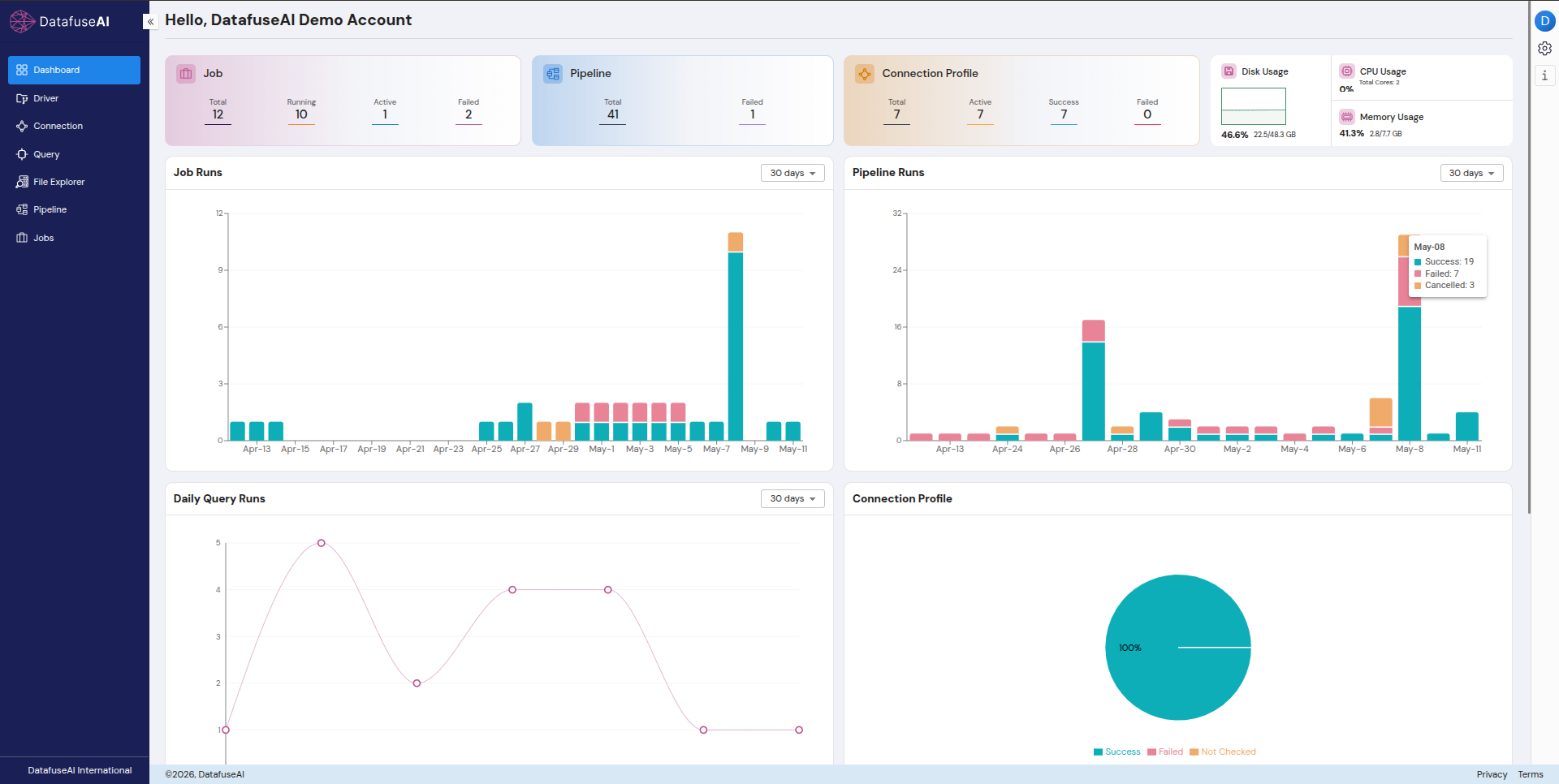 Enlarge
DataFuseAI surfaced the COI pipeline development period as a visible spike: 19 successful runs, 7 failed, 3 cancelled on the peak build day. Connection profile health: 7/7 healthy (100%). CPU, memory, and disk tracked in real time. For more on governance architecture and audit logging behind the dashboard, see building audit-ready data operations.
How do I query and validate results after the pipeline runs?
Both platforms have a built-in SQL editor for querying mart outputs and saving queries for team reuse. DataFuseAI's editor adds a live schema browser and lets you switch between compute engines per query.
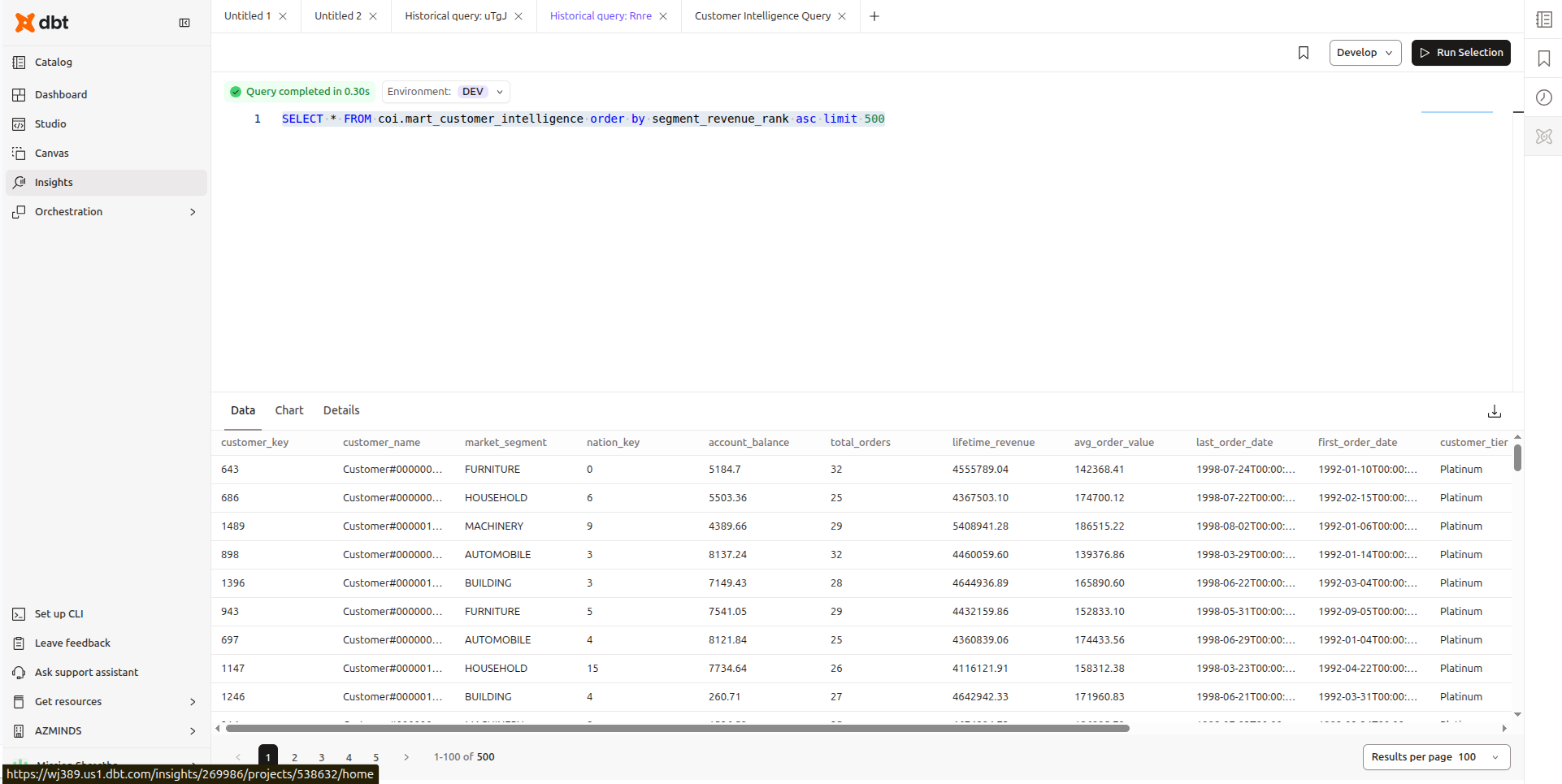 Enlarge
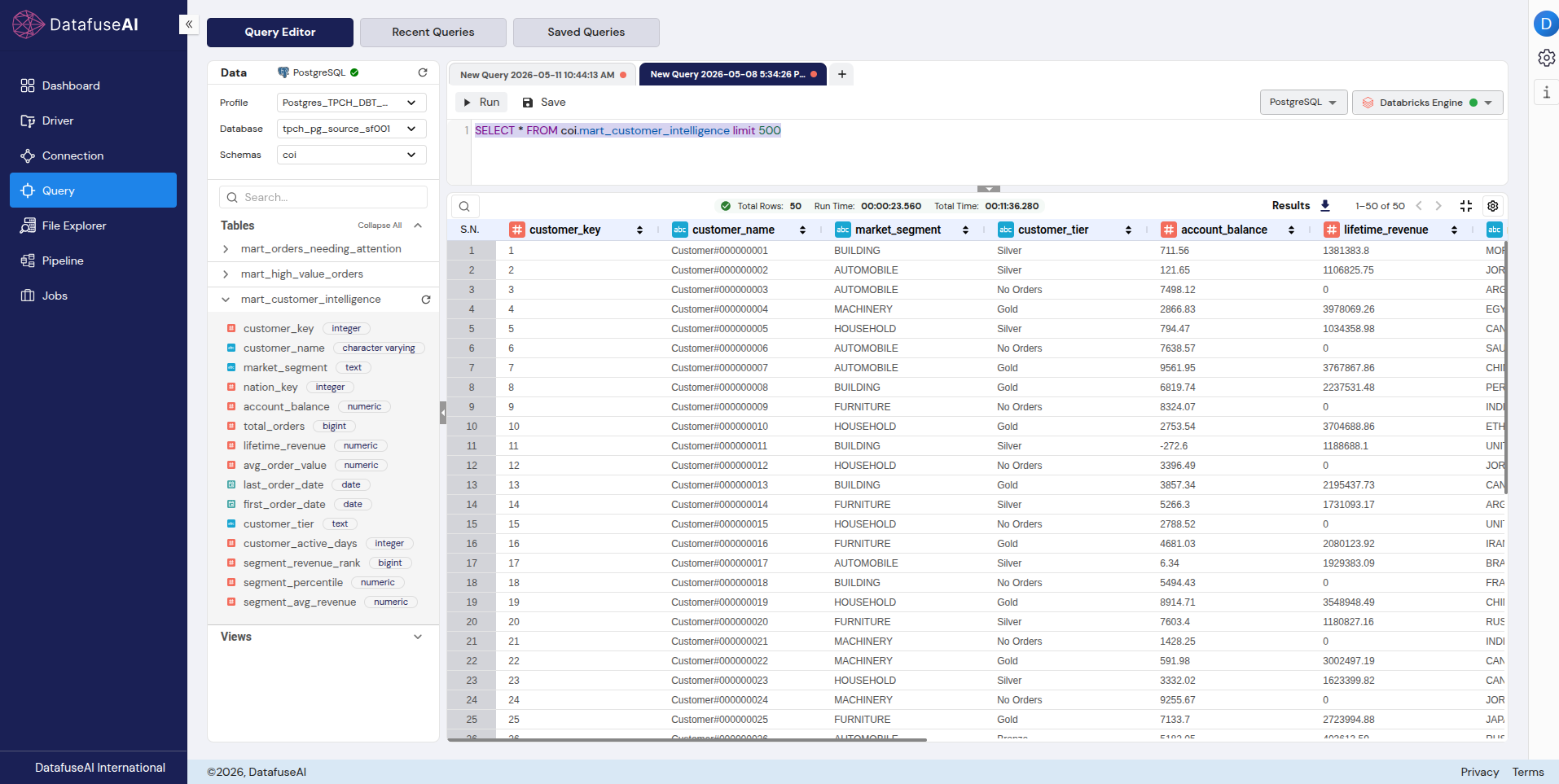 Enlarge
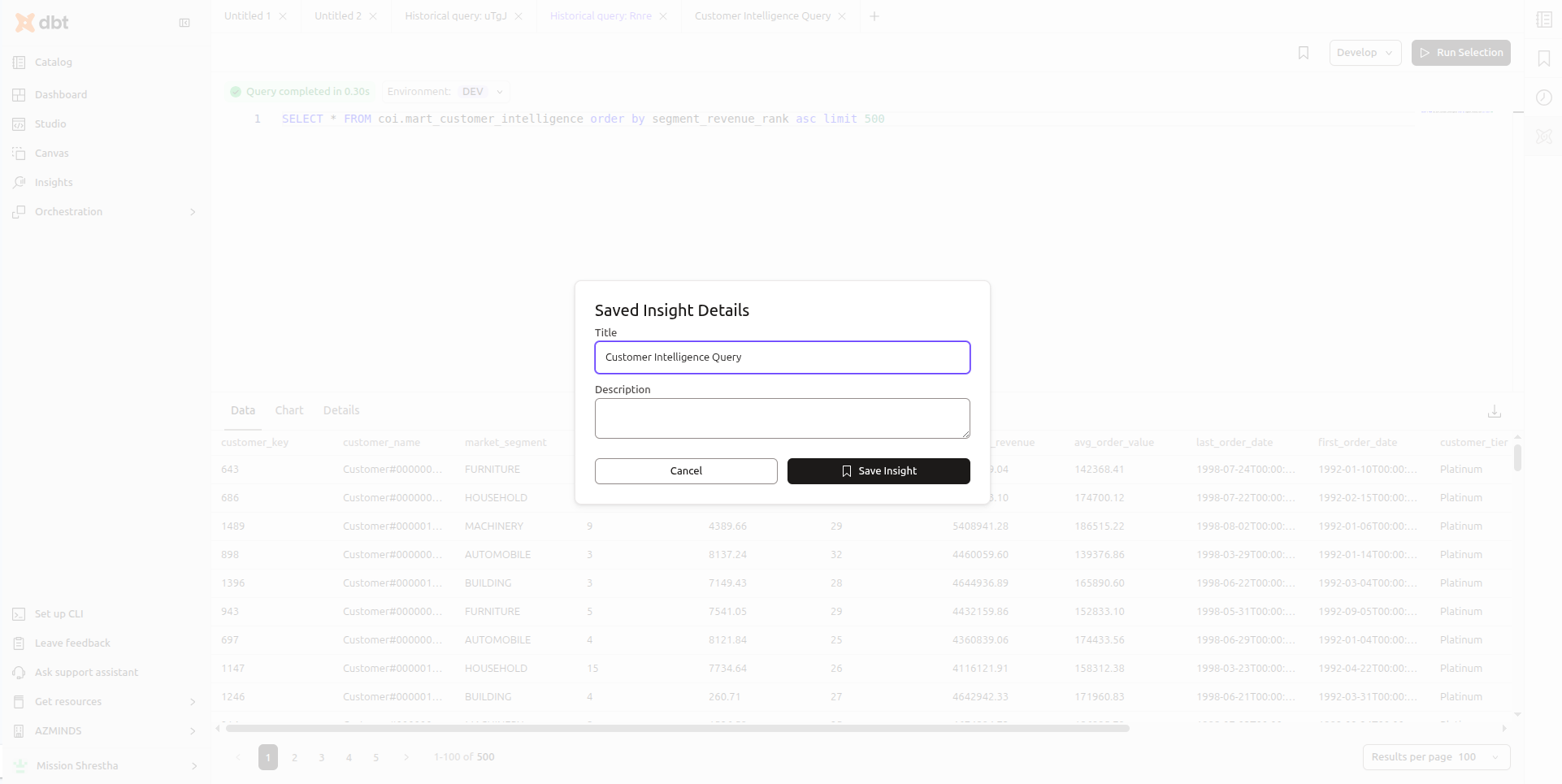 Enlarge
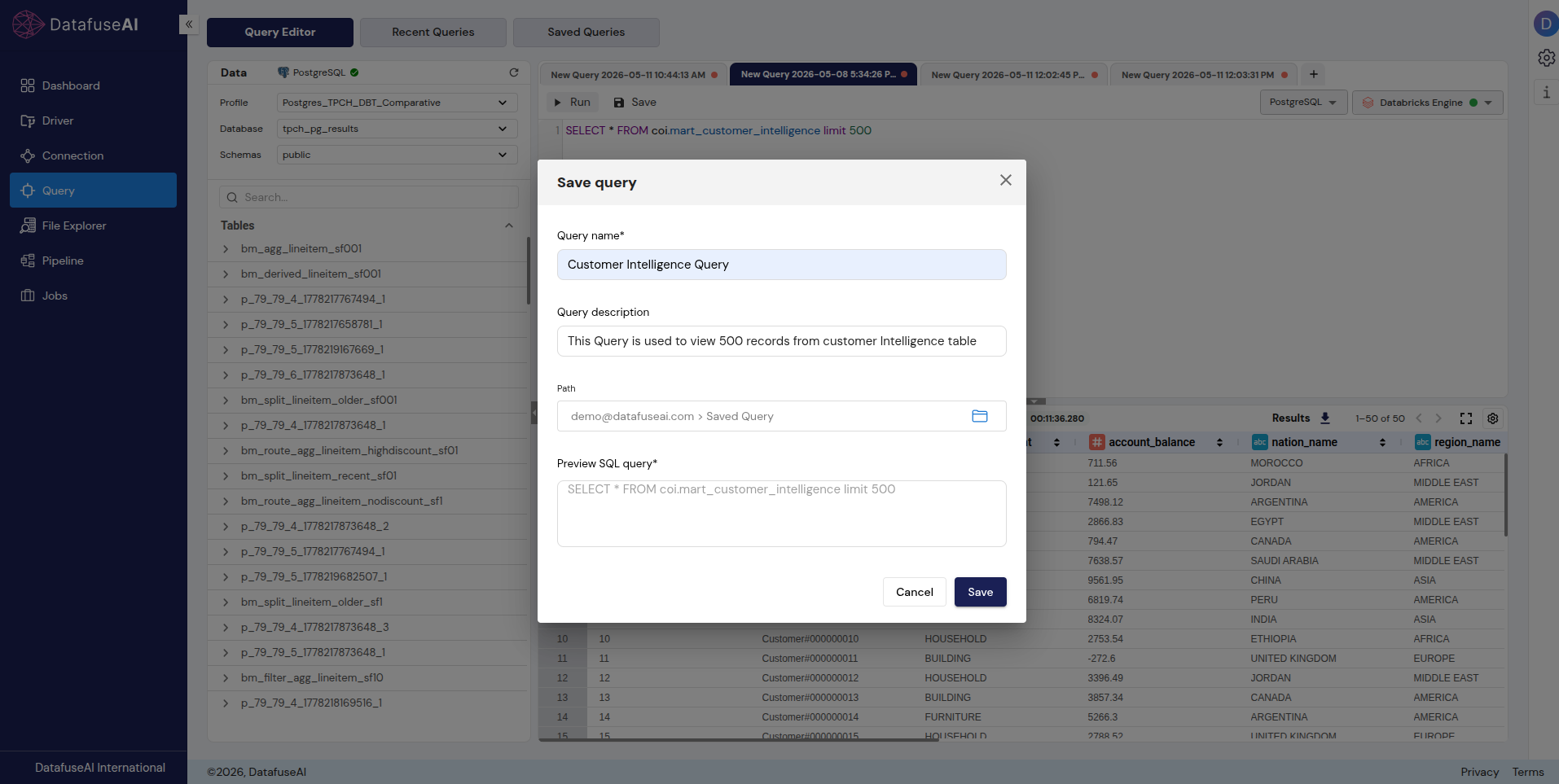 Enlarge
What dbt Does Better
dbt's column-level lineage, Git-native workflow, and Jinja macro system are best-in-class. No honest migration guide should pretend otherwise.
In dbt's Explorer, you can trace exactly which source column feeds which downstream column through every model in the DAG. Run dbt docs generate and you get a full documentation site that is searchable, versioned, and current with the codebase.
When I built the same pipeline in DataFuseAI after having built it in dbt, what I noticed missing was that granularity. DataFuseAI shows pipeline-level execution flow but not column-level traceability. Moreover the documentation feature of DBT is something is find very useful.
In dbt, changing a mart model is a line diff in a .sql file. Any teammate can review it in a pull request before it merges. CI can run dbt build --select state:modified+ on every PR and block merge on a test failure.
In DataFuseAI, the same change is a canvas configuration update. It works. It is not the same as a PR-reviewable diff with a comment thread and a required approval. For a team where Git is central to how work is reviewed and deployed, that gap is significant.
The shift from SQL models in files to nodes on a canvas is more disorienting than it sounds at first. The first few hours feel like switching from a text editor to a drawing tool. After the syntax adjustment and the Route node learning curve, it settles.
dbt's macro system enables SQL logic reuse that visual tools can't currently match. Write a macro once, call it across every model in the project. dbt Labs reports over 100,000 community members who have contributed packages: dbt_utils, dbt_expectations, codegen, and dozens of domain-specific libraries for financial modeling, SCD handling, and data quality. DataFuseAI has no equivalent open package ecosystem.
dbt Fusion (currently in Beta rollout on the dbt platform as of May 2026) introduces state-aware orchestration: models rebuild only when their source data or code has changed. DataFuseAI yet doesn't supports incremental loads whereas dbt Fusion's column-level change detection is more granular. For datasets where processing only new rows is a compute cost priority, that distinction matters.
If your team lives in code, Git is central to your workflow, and column-level lineage is a core deliverable — dbt remains the gold standard for the transformation layer specifically.
Enlarge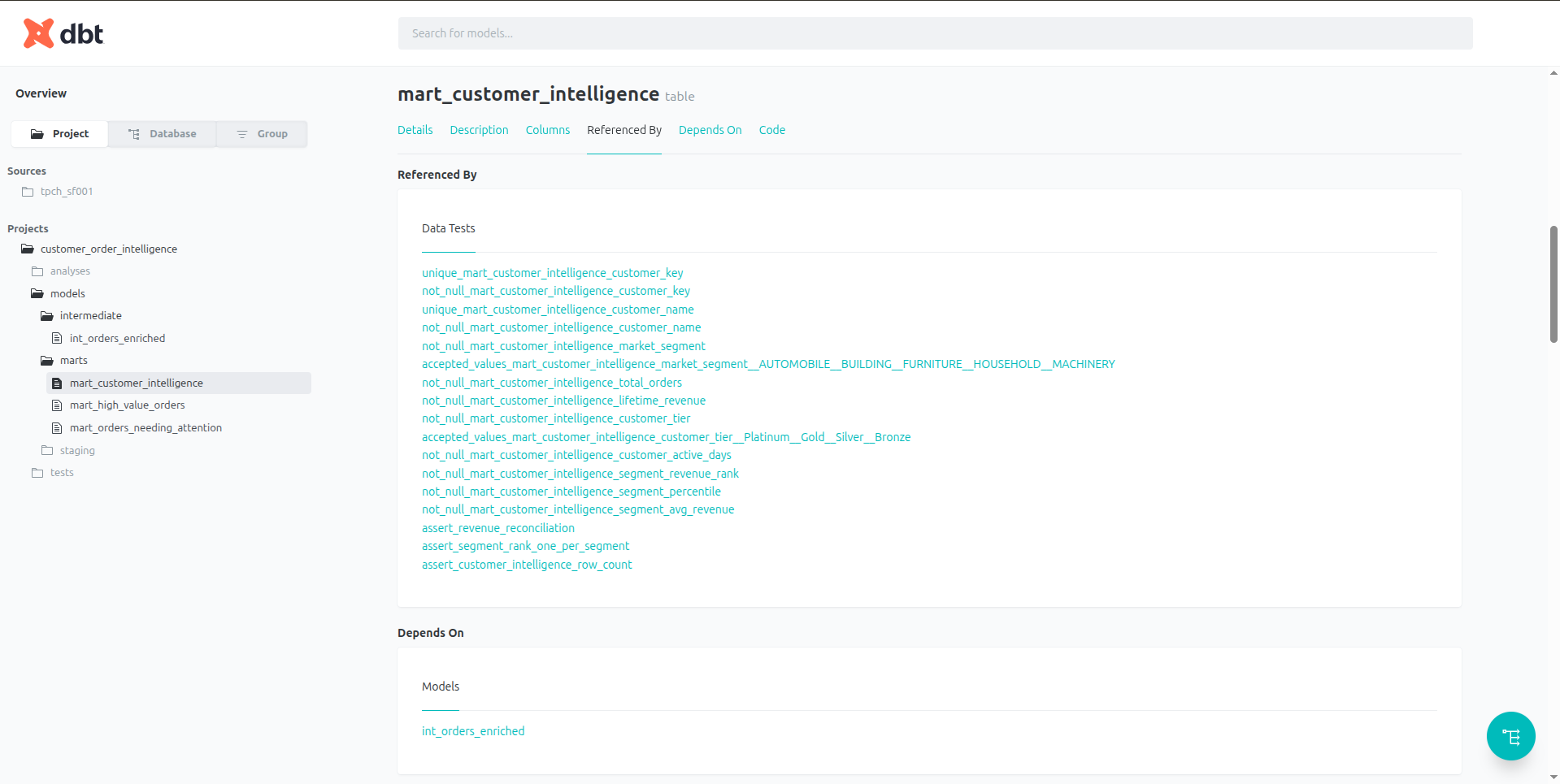 Enlarge
Is Migration Right for Your Team? A Decision Framework
Answer the five questions below in sequence. The first answer often routes you out before you get to connectors or pricing.
Is your pain point in the transformation layer, or in the infrastructure around it?
Does your team include non-SQL-proficient stakeholders who need to build or review pipelines?
Do you have a compliance, governance, or deployment constraint that dbt can't meet?
Are you currently running dbt Core with a separately managed orchestration tool?
What does migration cost in practice?
The transformation logic itself — joins, enrichment columns, routing conditions — takes roughly comparable time in both tools. The Spark SQL syntax adjustment costs a few hours on the first build. The end-to-end operational setup (scheduling, profiling, dashboard visibility) is faster in DataFuseAI because it is already there: three clicks from the canvas to a scheduled job.
Recommended path: Incremental migration. Start with one pipeline that has a clear input/output boundary, validate output parity against the source, then expand pipeline by pipeline. Confirm that source total_price sum matches DataFuseAI mart lifetime_revenue sum — the reconciliation query pattern used in the COI build is the template.
Frequently Asked Questions
For a pipeline with the complexity of the COI build — two source tables, a join, enrichment columns, three mart outputs — expect half a day on the first attempt. Most of that time goes to the interface adjustment, not the logic. Once you've built one pipeline and confirmed parity, subsequent ones move faster because the node patterns repeat.
The Spark SQL syntax differences (== vs =, datediff argument order) typically surface on the first build and cost an hour at most. Factor in connection profile setup and engine configuration as a one-time overhead of roughly 30 minutes per environment.
For most pipeline operations — joins, filters, derived columns, aggregations, routing — no. These are configured through node dialogs without writing any SQL. The visual builder handles the expression logic.
Where Spark SQL awareness helps: Filter and Route node conditions use Spark SQL syntax, and date functions follow Spark conventions rather than PostgreSQL ones. If you're coming from dbt with PostgreSQL experience, the differences are small but specific. The two that surface most reliably are documented in the syntax note in Phase 02 of this guide.
In dbt, environment separation is handled through profiles.yml — different targets point to different schemas or databases, and {{ target.schema }} resolves at run time.
In DataFuseAI, environments are separated at the Connection Profile level. A dev pipeline and a production pipeline use different Connection Profiles pointing to different databases or schemas. Switching a pipeline between environments means swapping the Connection Profile attached to each Source and Sink node — there is no equivalent of dbt's target-based dynamic resolution. Plan for this if your current dbt setup relies heavily on target-aware Jinja logic for environment routing.
DataFuseAI decouples the execution engine from the data source. Three options are available: Databricks, Apache Livy, and DataFuseAI's native engine. The engine is selected once at setup and applies to all pipelines — switching between Databricks and Livy is a dropdown selection and doesn't require reconfiguring any pipeline.
Unlike dbt — where your warehouse is also your compute — DataFuseAI's engine runs transformations outside the destination database. This means you're not competing with query workloads on the warehouse during transformation runs, but it also means you need a reachable engine endpoint. For the Managed Cloud tier, DataFuseAI handles engine provisioning. For Private-Hosted and On-Premise deployments, you bring your own Databricks workspace or Livy server.
The concept map in this guide covers the full COI pipeline — connection setup, staging, intermediate joins and enrichment, mart routing, window functions, scheduling, and profiling. Every construct translated. Every output count verified. Both tools ran to completion on the same data on the same day.
What the guide can't tell you is whether the trade is worth it for your team specifically. dbt's lineage, Git workflow, and macro ecosystem are genuinely hard to replace for teams where those capabilities are load-bearing. If they are, stay. If the bottleneck is the infrastructure around dbt — the scheduler, the ingestion tool, the monitoring layer, the time spent writing SQL before the actual work can start — that's the case for evaluating DataFuseAI directly.
The right starting point is one pipeline with a clear input/output boundary and a row count you can verify. Build it, confirm parity, and the rest of the concept map scales from there.
DataFuseAI's documented performance at scale — 60 million rows, two cores, no code written — is covered separately in the 60 million row benchmark.

 Request a Demo