

Search "best data integration tools" and most lists answer the same way: rank by connector count, note the price, call it done. That's not wrong, exactly. It's just not the filter that predicts whether a tool actually works for you. This blog evaluates four data integration tools, DataFuseAI, Domo, Skyvia, and Zapier, across four things that filter faster than a connector count ever will: deployment model, what "ETL" actually means for each tool, governance depth, and pricing transparency. One disclosure up front, the same one you'd want from any vendor writing a comparison: DataFuseAI publishes this piece and is one of the four tools evaluated. Where the evidence points somewhere else, this piece says so. The pillar decision framework this piece sits alongside covers the broader no-code ETL landscape; this one is narrower and named.
What Actually Separates a Good Data Integration Tool From a Bad One
Your data is already scattered across more systems than it used to be. Okta's 2025 telemetry puts the average company at 101 connected apps, more than ever recorded. Even the systems meant to unify that sprawl aren't universal: Eurostat's 2025 data shows 53% of EU enterprises used ERP, CRM, or BI software, with ERP adoption specifically ranging from 41% at small enterprises to 89% at large ones. Against that backdrop, a bigger connector catalog looks like the obvious tiebreaker. It isn't, for four reasons.
Deployment model. Before anything else: can this tool run where your data has to live? Most data integration tools are cloud-only. For teams under data-residency rules, sovereignty requirements, or a zero-egress mandate, that's a disqualifying constraint, and one better discovered before you shortlist than after.
Architecture: what "ETL" actually means here. "ETL tool" gets applied loosely. Some products transform data before loading it (true ETL). Some load raw data and transform it downstream (ELT). Some are workflow-automation platforms that move data as a side effect of triggering actions between apps. Some are BI platforms with a transformation layer built in for their own ingestion. These are not interchangeable, and which one you're actually buying changes what you can build.
Governance depth. Most comparisons mark "has RBAC" with a checkmark and move on. The real question is what that RBAC enforces: a handful of broad role labels, or permissions scoped to specific actions, and whether there's an audit trail behind it, not just a permissions screen.
A connector count tells you what a vendor built. It doesn't tell you whether the tool fits how or where you actually work.
Best Data Integration Tools in 2026: Side-by-Side Comparison
| What you're checking | DataFuseAI | Domo | Skyvia | Zapier |
|---|---|---|---|---|
| Deployment model | Managed Cloud, Private-Hosted, or fully offline On-Premise | Cloud only (on-prem sources reached via the Workbench agent, not self-hosted) | Cloud only (Microsoft Azure) | Cloud only (AWS); Enterprise VPC Peering to reach internal sources |
| What it actually is | Data integration platform: choose a connector, validate the connection, read, transform, load data. | BI/analytics + AI platform with integration ("Magic ETL") as one pillar | No-code data platform: ETL + ELT + bi-directional sync + reverse ETL | Workflow/AI-automation platform; not positioned as a data-integration product by its own site |
| Connector scope | 35+ built-in connectors across 10 categories, plus 300+ additional sources via one configurable API connector | 1,000+ connectors claim, plus on-prem (via Workbench), federated query, and writeback | 200+ connectors claim plus custom REST/GraphQL | 9,000+ app connections claim, IP-exposure-dependent database connectivity |
| Governance highlights | Action-level RBAC + full execution audit logging; per-connection driver-version pinning | RBAC, row/column-level permissions, SSO, MFA, audit trails; | SOC2, GDPR, HIPAA (BAA), PCI DSS; workspace RBAC (4 roles); no stated audit log | SSO + 6-month audit log (Team); SCIM + action-level permissions (Enterprise); SOC2 Type II/SOC3/GDPR/CCPA; |
| Pricing | Usuage Based (contact sales) | Quote-only, credit-based consumption model | Public tiers: Free → $99.79 → $199 → $499/mo → Enterprise quote | Public tiers: Free → $19.99–3,389/mo → $69–3,999/mo → Enterprise custom |
None of these four wins outright. The table exists so you can filter fast on whichever row matters to your team, not to crown a winner. The deployment row alone eliminates three of four options for a team that needs a fully offline environment; the connector-scope row does the opposite for a team that just needs to reach thousands of SaaS apps quickly.
Tool-by-Tool Breakdown
DataFuseAI
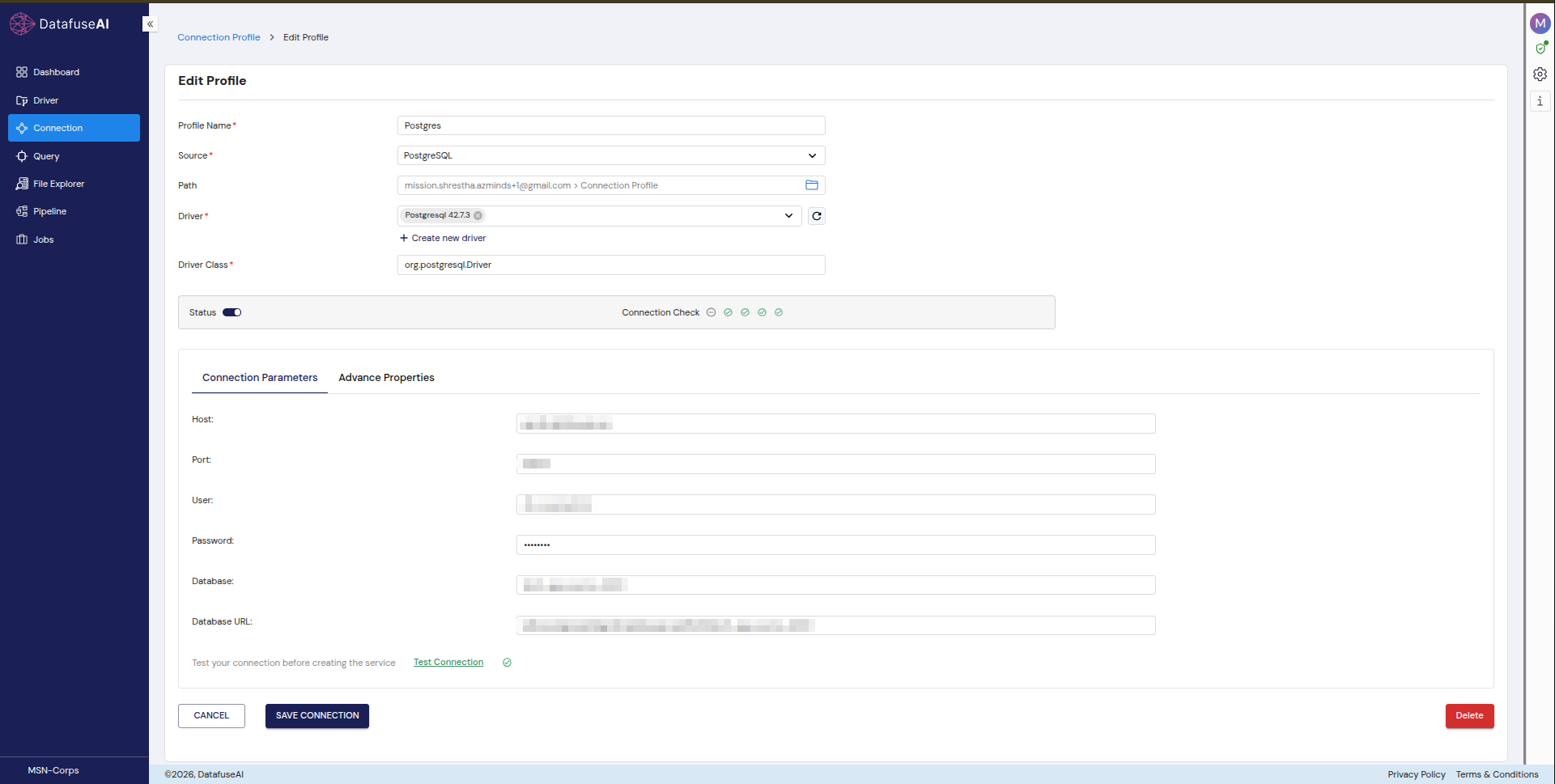
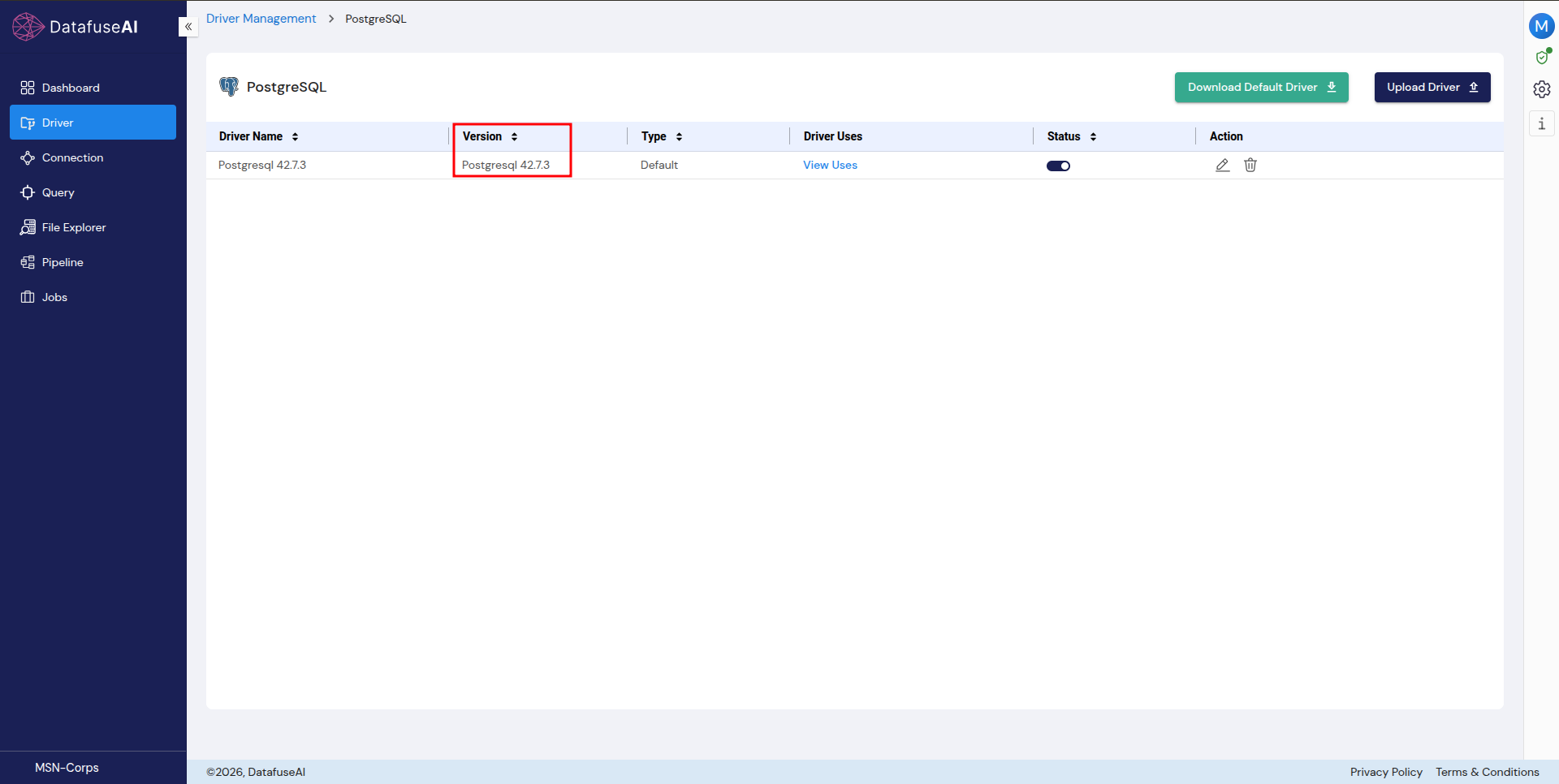
Connecting a source is three steps: choose a connector, configure and validate the connection, then ingest. The same three steps apply whether the source is a relational database, a NoSQL store, a cloud warehouse, or a REST API. The validation step runs a multi-step Connection Check before a source goes live. Database and warehouse connections pin a specific driver build per connection (for example, PostgreSQL connections currently pin driver Postgresql 42.7.3, class org.postgresql.Driver) rather than a vague "supported" claim. REST API sources are configured with the same rigor as a database: a base URL, an auth type (the same authorization-grant model RFC 6749 defines), and an endpoints table with pagination handled automatically through a next-page field, the concept RFC 8288 formalizes. That same API connector is also how DataFuseAI reaches sources most platforms ship as separate, named connectors: HubSpot, Meta, Google Ads, Instagram, Salesforce, and roughly 300 others, each configured through the same base URL and auth type pattern instead of a dedicated integration. A worked example of setting one up walks through the auth and pagination steps end to end.
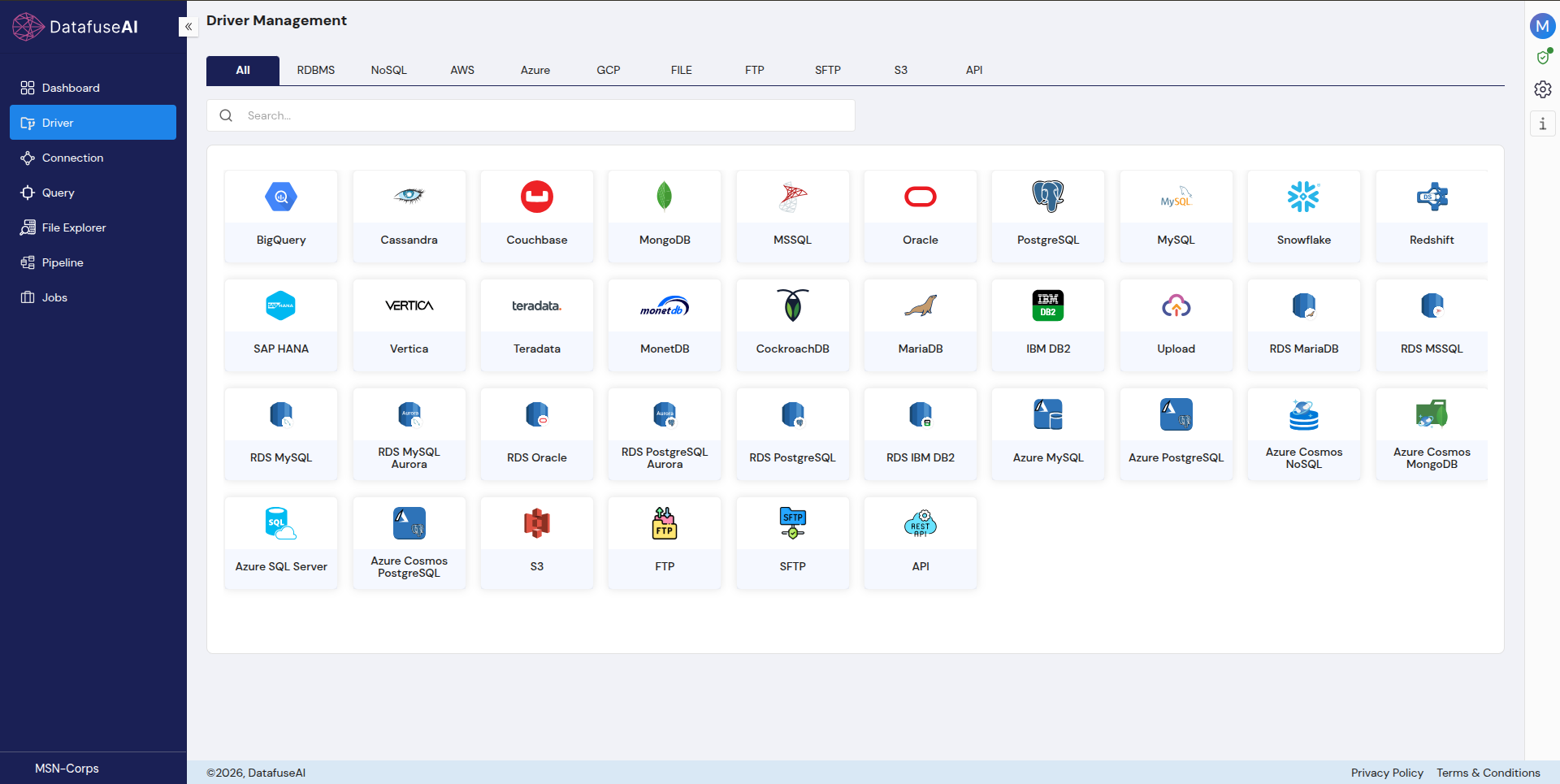
Fit: deployment-constrained teams (the only one of these four with a confirmed fully offline on-premise option); teams that want driver versions pinned and visible rather than an opaque "PostgreSQL supported" claim; teams that want broad practical reach, 35+ built-in connectors plus 300+ more through one configurable API connector, without maintaining a separate integration per app.
Limits: the 300+ API-reachable sources each need their own auth type and endpoints configured once; that's real setup work, not a one-click integration the way a dedicated connector is. Zapier's 9,000+ named app catalog still means less configuration for a team that wants broad SaaS coverage with zero setup.
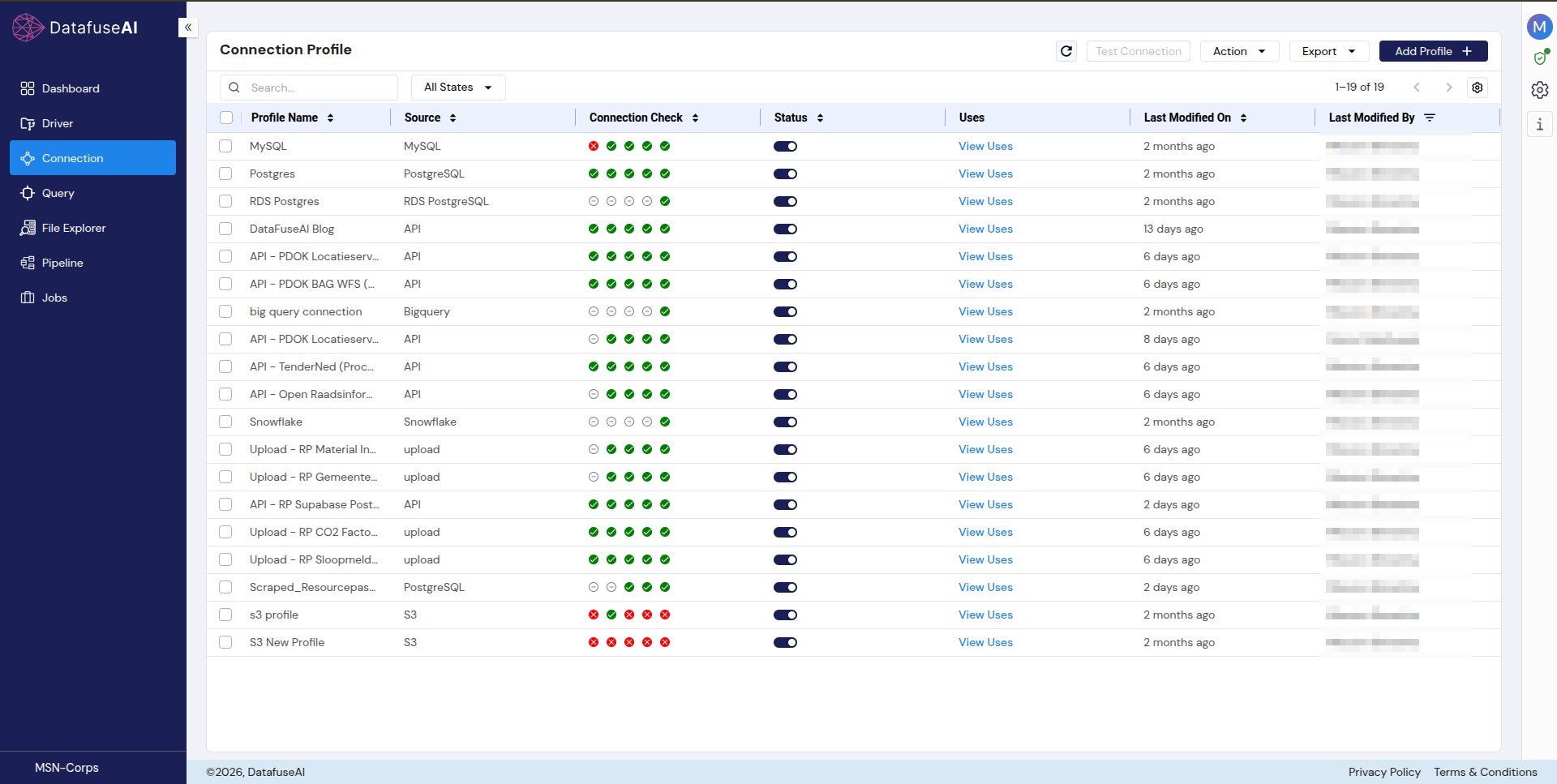
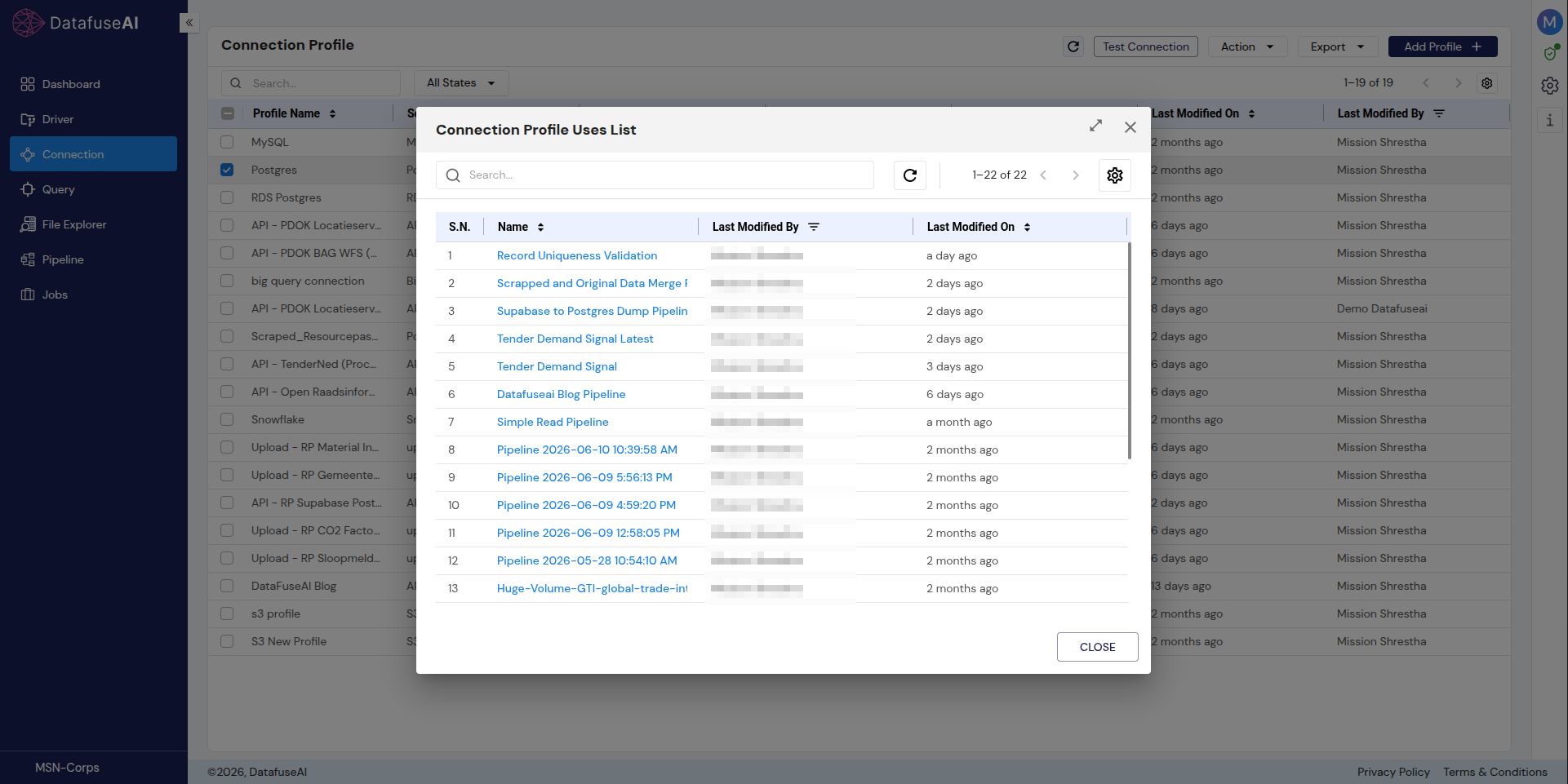
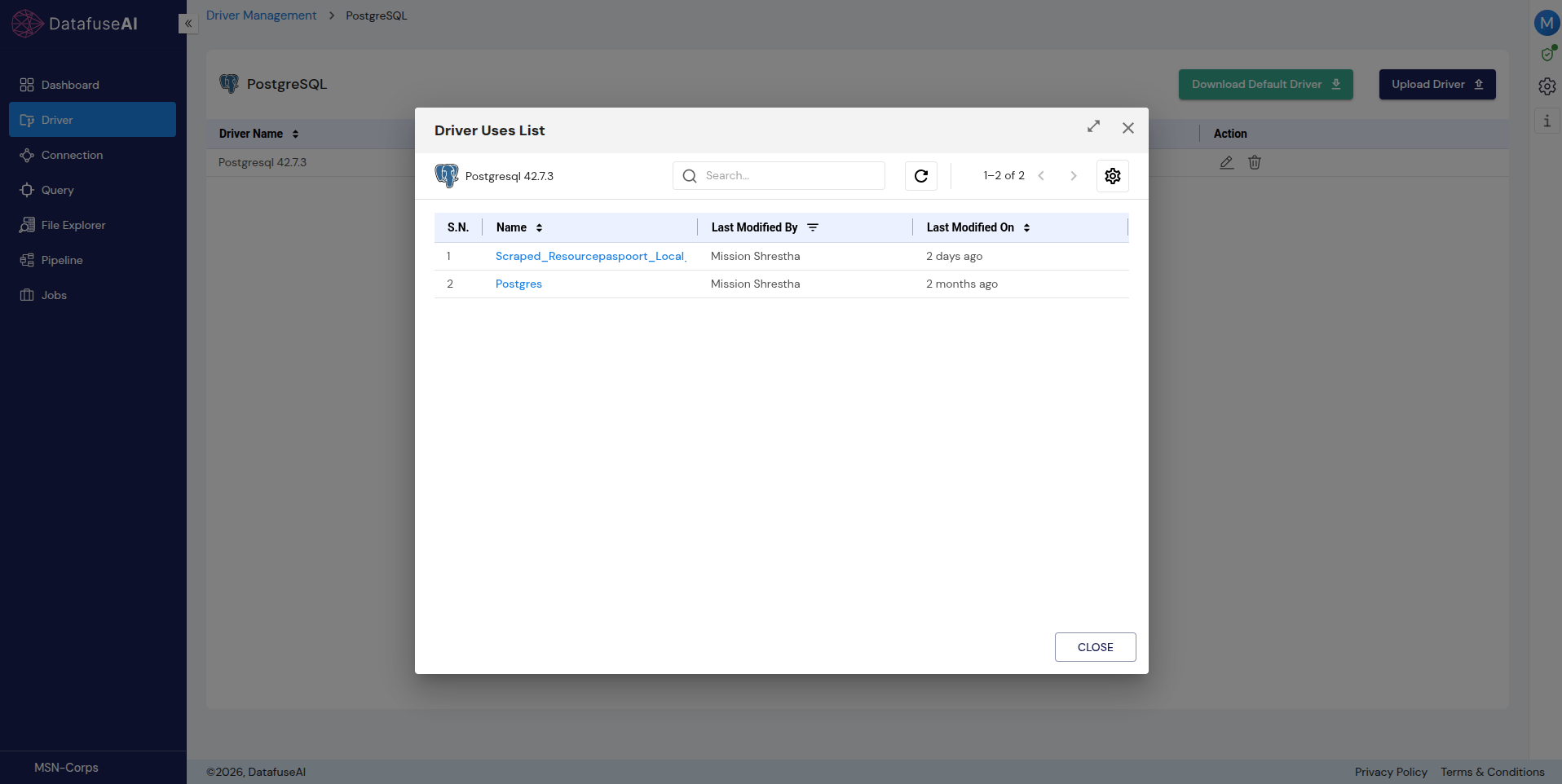
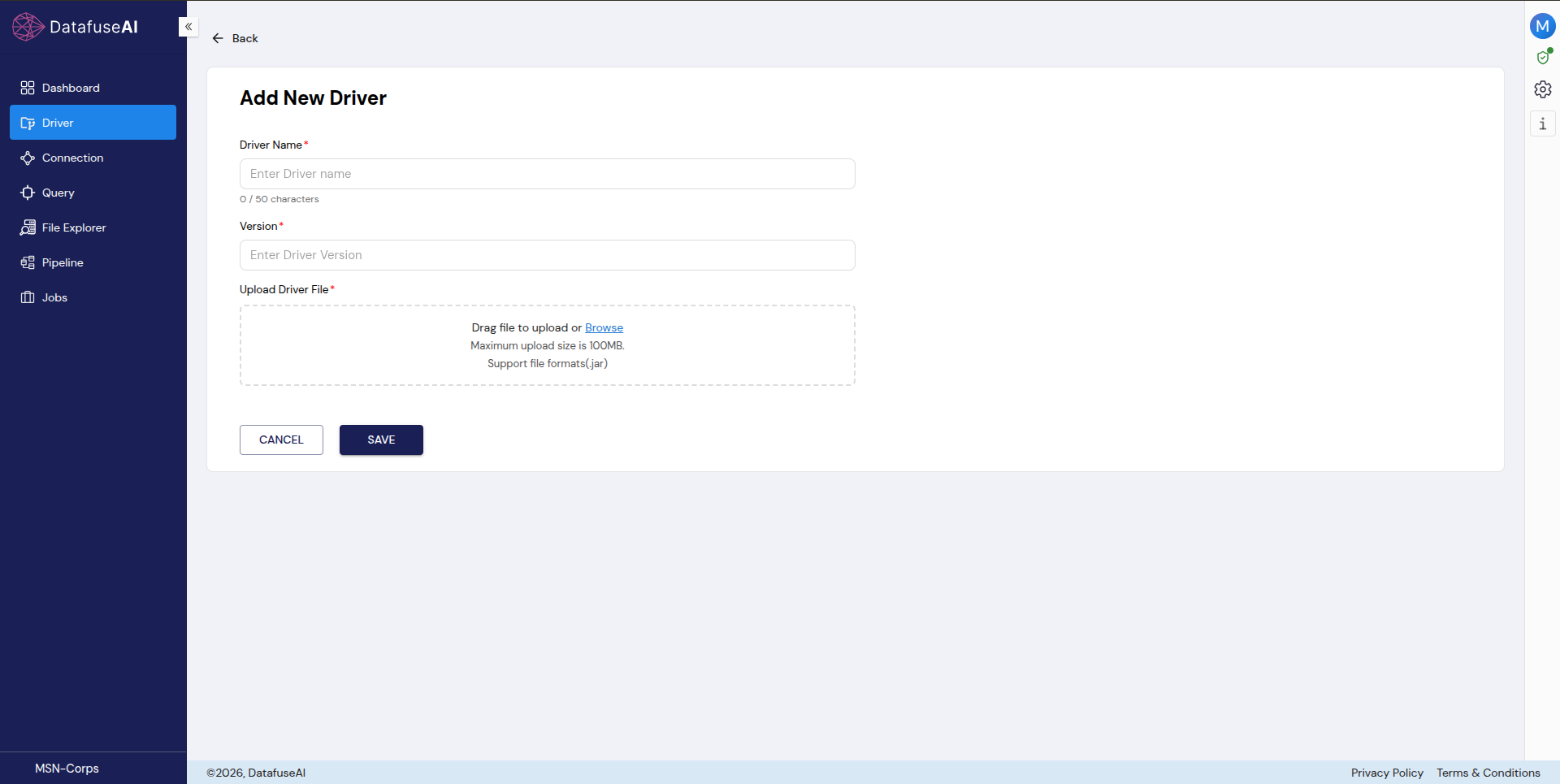
DataFuseAI's own interface, for the claims above — click any thumbnail to see it full size:
Domo
Domo's own positioning is "AI and Data Products Platform," a BI/analytics platform with integration as one pillar, not a standalone integration product. Its transformation tool, "Magic ETL," is visual and no-code, with a SQL tile and Python/R scripting available for advanced users. It supports batch, micro-batch, and streaming ingestion, plus federated querying ("query and analyze data directly where it lives") and writeback to warehouses like Snowflake and BigQuery. On-premise sources are reached through a lightweight agent called Workbench that makes an outbound-only encrypted connection; Domo itself isn't self-hosted.
Fit: teams that want integration, transformation, and BI dashboards in one platform rather than stitched together; teams with heavier compliance requirements (Domo's certification list, SOC 1, SOC 2, ISO 27001, ISO 27018, HIPAA, HITRUST, GDPR, and CCPA, is the longest of the four compared here).
Limits: no self-hosted or private deployment; pricing is quote-only with no public figures. A third-party review notes some sources need the Workbench connector or direct API work rather than a native connector, and that performance can lag on large datasets without optimization. These are independent claims, not confirmed via Domo's own documentation.
Skyvia
Skyvia describes itself plainly as an all-in-one, no-code cloud platform spanning data integration, backup, access, and management, and names its own approach directly: a true ETL tool, an ELT solution for moving cloud data into warehouses, and a bi-directional sync tool to keep two sources in sync automatically. It also supports reverse ETL and direct data access via OData, ADO.NET, and ODBC. Pricing is public and genuinely tiered, unlike two of the other three tools here.
Fit: teams that want a real published price before talking to sales; teams that need ETL, ELT, and ongoing sync in one no-code tool without picking a single paradigm upfront.
Limits: cloud-only, hosted on Microsoft Azure, with no private or on-premise option found anywhere on its site. Its workspace RBAC has four standard roles, but no audit-log feature is documented, a gap worth checking directly if audit trails matter to your compliance posture.
Zapier
Zapier's own homepage doesn't call itself a data integration tool. It calls itself a platform to "connect AI to over 9,000 tools" and describes its architecture in terms of triggers and actions, not extract-transform-load. Triggers are either polling (checking a connected app on an interval, 15 minutes on the Free plan, down to 1 minute on Team/Enterprise) or instant, via webhook. A separate feature, Transfer by Zapier, handles bulk or one-time data moves. Database connectivity exists but requires the database itself to be reachable from outside your network and configured to allow Zapier's static IP addresses, a materially different posture than a managed private connection.
Fit: teams whose integration need is mostly SaaS-app-to-SaaS-app (its 9,000+ app catalog dwarfs the other three here) and who don't need deep database or warehouse connectivity.
Limits: Zapier's own security page is explicit that it will not sign a Business Associate Agreement and cannot be used for anything involving protected health information, a hard disqualifier for HIPAA-regulated workflows. Its polling-based triggers, even at their fastest tier, are not real-time change-data-capture.
How to Choose: A Decision Framework by Team Profile
Run your own team through these four profiles before you run a demo.
A small team whose sources are mostly SaaS apps, no compliance constraint. Zapier's 9,000+ app catalog and instant/webhook triggers cover this case directly; Skyvia's published pricing is worth a look too if you want ETL/ELT proper rather than trigger-based automation.
A database-centric team with governance requirements. DataFuseAI's per-connection driver pinning and action-level audit logging, or Domo's longer compliance-certification list, both fit better here than Zapier's trigger model or Skyvia's undocumented audit trail. Which one depends on whether you also want BI dashboards built in (Domo) or a lighter, database-first tool (DataFuseAI).
A BI-first team that wants integration built into the analytics layer. Domo's Magic ETL plus federated querying and warehouse writeback is the direct fit. None of the other three combine integration and BI in one product the way Domo does.
A team that needs full data-residency or offline control. Of the four compared here, only DataFuseAI has a confirmed fully offline, on-premise deployment option. That's a specific, checkable fact, not a general claim. Verify it against your own requirements before treating it as a decision-maker on its own.
Where DataFuseAI Fits in This Comparison
DataFuseAI is genuinely the right fit for teams that are deployment-constrained (it's the only tool in this comparison with a confirmed fully offline on-premise option), governance-heavy (action-level RBAC and full execution audit logging, plus driver versions that are pinned and visible rather than an opaque "supported" claim), and database-centric rather than SaaS-app-centric. DataFuseAI's 35+ built-in connectors plus the 300+ sources reachable through its umbrella API connector, HubSpot, Meta, Google Ads, Salesforce, and others among them, cover much of the same practical ground Domo's 1,000+ pre-built connectors do, through configuration rather than a dedicated integration per app. It is still not the right fit for a team that wants literally thousands of one-click app integrations starting today the way Zapier's 9,000+ catalog provides. See how that API connector works in practice for what setting one up actually involves. Uncontrolled driver versions are a quieter version of the same visibility problem this comparison keeps surfacing. See why uncontrolled drivers create lock-in risk for how it compounds over time in any tool, not only the ones named here.
The Right Filter, Applied First
What should I actually look for when comparing data integration tools?
Four things, in this order: whether the tool can even run in your deployment environment, what its architecture actually is under the "ETL" label, how deep its governance and audit model goes. Connector count is a real factor, but it's the last one to check, not the first.
Does a smaller connector catalog mean a tool can reach fewer of my actual data sources?
Not necessarily, though it depends on the tool. DataFuseAI ships 35+ built-in connectors, a real gap against Domo's 1,000+ or Zapier's 9,000+ on its own, but its single, configurable API connector reaches roughly 300 tested additional sources, HubSpot, Meta, Google Ads, Salesforce, and others that platforms like Domo and Zapier ship as separate, named connectors, through one base-URL-and-auth-type pattern instead. That brings DataFuseAI's practical reach closer to 335+ sources total, though each of the 300+ API sources takes its own configuration step rather than a one-click integration. A worked example shows what that setup actually looks like. That tradeoff doesn't apply symmetrically to every tool in this comparison; check each one's own REST/API capability directly rather than assuming it.
Which of these tools supports on-premise or fully offline deployment?
Of the four compared here, only DataFuseAI does, with a confirmed offline on-premise option. Domo reaches on-premise sources through its Workbench agent, which is an outbound connection from your network to Domo's cloud, not a self-hosted deployment of Domo itself. Skyvia and Zapier are cloud-only, full stop, with no private-hosting path found on either site as of this session. How your deployment model fits into the same evaluation goes deeper on this specific tradeoff.
Deployment model, architecture, governance depth, and pricing transparency predict whether a data integration tool actually fits your team better than a connector-count race does. Run whichever tool you're evaluating (DataFuseAI included) through those four filters before a demo, not after. Start your free trial or book a 20-minute demo if DataFuseAI's profile above matches what you need; if it doesn't, the other three compared here might.
References
- [1]Okta. Businesses at Work 2025. 2025. okta.com/newsroom/articles/businesses-at-work-2025
- [2]Eurostat. Larger enterprises used more e-business apps in 2025. 2026. ec.europa.eu/eurostat — ddn-20260520-1
- [3]IETF. RFC 6749 — The OAuth 2.0 Authorization Framework. 2012. rfc-editor.org/rfc/rfc6749
- [4]IETF. RFC 8288 — Web Linking. 2017. rfc-editor.org/rfc/rfc8288
- [5]Skyvia. Pricing. 2026. skyvia.com/pricing
- [6]Skyvia. Security. 2026. skyvia.com/security
- [7]Zapier. Security & Compliance. 2026. zapier.com/security-compliance
- [8]Zapier. Pricing. 2026. zapier.com/pricing
- [9]Domo. Data Integration. 2026. domo.com/data-integration
- [10]Domo. Pricing. 2026. domo.com/pricing



 Request a Demo